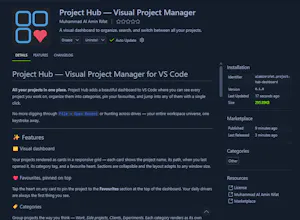
Most project switchers in VS Code are plain text lists. Project Hub is a visual dashboard — every project is a card with its path, last-opened time, category tag, and a favourite heart. Pin your daily drivers on top, group the rest into categories, search by name or path, and jump into any project in one click (new window or current — you choose). 100% local and private: no accounts, no telemetry. Free, open source, and it syncs your setup through VS Code Settings Sync.
Hey Product Hunt! 👋
I'm Rifat, and I built Project Hub to fix a tiny daily annoyance that never went away: switching projects in VS Code. I work across client projects, side projects, and experiments — and every context switch meant File → Open Recent and scanning a text list, or worse, digging through folders on my drive trying to remember where I put things.
I wanted what a "new tab page" is for browsers, but for my projects: open VS Code, see everything visually, click, and I'm working. So Project Hub shows every project as a card — favourites pinned on top, the rest grouped into categories you define, with instant search and one-click switching (Ctrl+Click flips between new window and current window).
Two things I cared about a lot while building it: it's 100% local and private — no account, no telemetry, your data lives in VS Code's own storage and roams via Settings Sync. And it's built to grow — the architecture has a clean extension point for what's next: git branch/status on cards, per-project notes, and project screenshots.
Fun fact about the process: I built the whole thing pair-programming with Claude Code — from the architecture plan to debugging a CSS stacking-context bug where a menu kept hiding behind the toolbar. Wild experience compared to how I built things even a year ago.
It's free and open source — I'd genuinely love your feedback: what would make this your daily driver? Which roadmap feature should ship first? ⭐
Report
Pros
Cons
Reviews
No reviews yetBe the first to leave a review for Project Hub — Visual Project Manager