
Portero
Know exactly what's running on every port of your Mac
193 followers
Know exactly what's running on every port of your Mac
193 followers
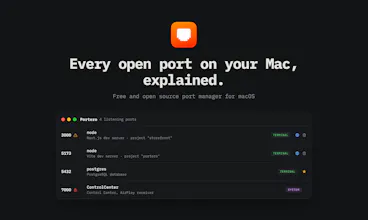
Portero is a free, open source Mac app that shows every open port and the process behind it. See what's running, kill processes on busy ports, fix 'address already in use' errors, and block ports with the built-in macOS firewall.



Free
Launch Team / Built With


Customer.ioAutomate Messaging Everywhere — Startups Get 12 Months Free
Promoted
@ctresb i couldn't quite see in the video but for your node example, does it also show the path/pwd the process is running from (or if it's running from pm2 etc). That would help when running a lot of ephemeral scripts
the plain-english translation is the actual feature here, lsof telling you 'node' on port 3000 is technically correct and completely useless. one thing I didn't see mentioned - does it handle docker-proxy processes sanely? that's usually where this kind of tool falls apart for me, a container's port mapping shows up as some generic docker-proxy pid and you're back to guessing which compose project it belongs to
@galdayan Thanks! Honest answer: today docker-proxy gets labeled as "Docker, container port forwarding" so you know what it is, but it doesn't yet resolve which container or compose project owns the mapping. That's a great idea though: querying the Docker socket to map port → container → compose project is very doable, and it's now on the list. Exactly the kind of gap I want issues filed for.
@ctresb love that it's already on the list. filing an issue is a good idea, will do if I end up trying it on my own machine. good luck with the launch
Hey congrats on the launch! Q - Does it keep a log of what was running on a port historically, or is it strictly a live snapshot? Thinking about those annoying edge cases where a background task grabs a port and crashes before you can even catch what it was
@uddipta Strictly a live snapshot for now (it polls every few seconds). The crash-before-you-catch-it case is real and a history log has come up more than once already, so it's high on the list. Probably a small rolling log of port events rather than full history.
The context labels are the actual product here — "node" vs "Vite dev server, project storefront" is the difference between killing the right process and killing your teammate's demo. Curious how you infer the project context — walking up from the process cwd looking for package.json, or something smarter? Open source is appreciated, will poke around the repo.
@anton_yakymenko You nailed the thesis. The inference is deliberately simple: lsof gives me each process's cwd, and the project label is derived from that, combined with fingerprints in the full command line (vite, next dev, etc.) to name the tool. No package.json walking yet. The parent chain does get walked, but for a different job: finding which terminal or editor launched the process, for the icon. Poke away, and PRs welcome.
How do you handle cases where a process is holding onto a port but isn't actively using it, and what's the criteria for suggesting to kill a process?
@aymnart Portero only lists sockets in LISTEN state, so "holding but not serving" mostly shows up as a listener that answers nothing, and the HTTP probe reflects that (no browser button). And it never suggests killing anything: that stays a human decision. What it does instead is make the decision safe: plain-words identity, category (system vs dev), conflict flags, and starred processes that can't be killed at all.
@C3B Congrats on the launch! 🎉 Loving the clean macOS native UI and built-in firewall blocking.
Question on state tracking: is Portero strictly showing live snapshots of active listeners, or is there any background logging to help catch ephemeral/ghost background processes that grab a port and crash before you can inspect them?
@franz_briones Thanks! Live snapshots only right now, polling every 2 to 8 seconds (configurable). No background daemon by design. But ephemeral processes grabbing a port and dying is a real gap, you're the second person to raise it today, so some form of short rolling event log is officially on the roadmap.
Would love to see a quick right-click option to copy the PID or port number straight to the clipboard, since I often need to paste those into terminal commands when cleaning up stuck processes.
@okankzlarkkzop Good call. The expanded row already has copy buttons for path, full command, and working directory, but PID and port themselves don't have one yet. Trivial to add, and it fits the terminal-cleanup workflow perfectly. Consider it queued.