
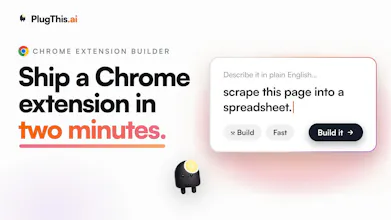
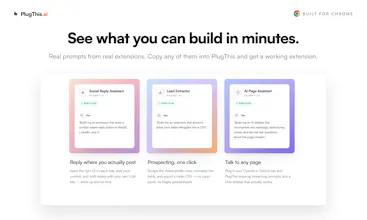
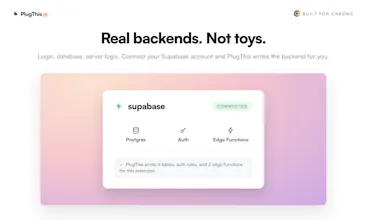
Got an idea for a Chrome extension? Describe it in plain English and PlugThis builds it. Real code, a real backend, ready for the Chrome Web Store. Refine it just by chatting. Connect Supabase for login and a database. Every change is saved as a version, so nothing is ever lost. When you're ready, we generate the icons, screenshots, and listing copy the store asks for. Everyone else builds web apps. We build Chrome extensions. That is the one thing we do.





Free Options
Launch Team / Built With


ArticosYour audience, ready to react to your messaging in minutes. Try free
Promoted


 Google AI Studio 2.0
Congrats on the great launch! QQ - what about permissions requested at runtime through chrome.permissions.request or optional_permissions? Those probably almost never show up in a static call graph, so does the analyser read them as dead and nudge you to drop something you only ask for on demand?
@artstavenka1 Great question, and it's exactly the trap a naive static pass falls into, so we handle it two ways.
First, scope: only the required permissions array is ever evaluated for removal. optional_permissions are out of scope by design, precisely because they're requested on demand and would never show up in a static call graph. So nothing you ask for on demand can be read as dead or nudged for removal.
Second, runtime acquisition: if the code actually manages permissions at runtime, chrome.permissions.request, contains, add, or remove, the analyzer picks that up and treats any permission named inside those calls as live, even if there's no direct chrome. call for it. So a permission you declare as required but only activate through chrome.permissions.request won't be flagged either.
And the whole thing is deliberately biased toward silence. A false "this is used" is harmless, a false "drop this" could break your extension, so anything it can't attribute with confidence it leaves alone rather than nudge you. The nudge only fires when a permission has no static usage and no runtime request naming it.
So the short answer: no, it won't tell you to drop something you only ask for on demand. That's the exact case it's built to not get wrong. Really good catch to probe it though.
I like that you picked a narrow but painful category. Chrome extensions look small from the outside, but manifests, content scripts, service workers, permissions, store rules, icons, screenshots, and listing copy make them very different from a normal web app. as a builder, I can immediately think of a few annoying browser workflows that would be perfect as tiny personal extensions.
Curious how PlugThis handles permissions and Chrome Web Store review risk. if someone asks for an extension that reads pages, injects UI, or works across many websites, does it guide them toward safer/minimal permissions automatically?
@andrasczeizel Thanks Andras, this is exactly the part most people underestimate.
Yeah, permissions are handled deliberately. When you describe an extension, PlugThis only grants what the feature actually needs. <all_urls> content scripts only get added if the extension truly injects into pages, and things like tabs, storage, sidePanel are added on demand, not by default. So a "read this one page" tool doesn't quietly end up with broad host access.
On review risk: there's a built-in step that runs over the generated code like a Web Store reviewer would. It flags sensitive permissions (cookies, identity, history, scripting, etc.), tells you when a privacy policy is required, and auto-drafts the host-permission and remote-code justifications for the CWS submission form. The goal is that when you hit "submit," you're not guessing what Google wants.
Would genuinely love to hear which annoying browser workflows you had in mind. Those tiny personal extensions are the sweet spot.
@tan_z_tan
Love that you asked it that directly, so here's the honest version.
For focused, well-scoped extensions, the kind that do one job well, it's genuinely ship-ready. It generates real Manifest V3 with TypeScript and React, actually compiles and bundles, passes a structural validation and lint pass, and goes through a Chrome Web Store pre-flight before you publish. So it's not throwaway scaffolding you have to rewrite. It builds, it runs, and you can push it to the store from inside the tool.
For bigger or more ambitious ideas, it's better thought of as a strong first draft that gets you 80 to 90 percent there fast, then you refine the last bit either by chatting with it or hand-editing the code directly, and both stay in sync. The value is that you skip the part everyone hates, the manifest, service worker, build config, permissions, and store setup, and land straight on "now I'm tuning behavior" instead of "now I'm configuring tooling."
So: ship-ready for the simple stuff, a serious head start for the complex stuff, and never a blank page. Would genuinely love for you to try it and tell me where the output holds up and where it doesn't. That feedback is exactly what sharpens it.
Congrats on the launch! 🚀
That "15-minute repetitive task" line got me. Mine is copy pasting snippets from a bunch of open tabs into one notes doc, one at a time. Something that just tossed every highlight into a single running note would genuinely save me.
Nicely done!
@nelsonsilvadev Thank you Nelson 🚀 And honestly that's the perfect first extension, because it's a real pain and it's very buildable.
What you described maps cleanly: highlight text on any page, hit a shortcut or a button, and it appends the highlight plus the source URL into one running note, all stored locally so it persists. Add a side panel to see the running list as you go and you've basically killed the copy-paste-one-at-a-time loop.
You could have a working version of this today. Describe it in that exact plain-English way and let it build the structure. If you make it, come back and show me, I'd genuinely love to see your highlight collector come to life.
@nelsonsilvadev Thank you :) Those 15 minutes start adding up to days over years. Please try building your workflow as an extension on PlugThis.
How does the versioning work when you want to roll back, do you get a full diff or just snapshots you have to rebuild from?
@orukfaruk63783 full snapshots for reliability, diffs layered on top for clarity, and zero rebuild step either way.
this is REALLY timely, i just built a feature spec for my app and a simple chrome extension was part of the design - I want an extension that will scrape monthly statements from accounts (banking, credit cards, etc) and send them to my app automatically....I am non-technical Lovable app builder so i was not looking forward to trying to figure this out on my own....sounds like you might just have the solution i need. Does this sound like a use case your tool can handle?
Hi @crystal_harrison PlugThis should be able to handle this, give it a shot on the platform if you run into challenges, please send me a email udaya@plugthis.ai I ll hop on a zoom call and troubleshoot it for you.
@nefer_ai will do that here when i get off this call!
@nefer_ai So i am super excited....It only took me about 10 minutes in total (assuming i had done it contiguously) and i built and deployed to developer mode and tested my extension of importing a bank statement to my app.....it was so fast and worked like a charm. I loved the tutorial and side bar check list of things to do....that made it so easy as i was a little confused at first, i had to do a little trouble shooting but the tool helped me through that.....very exciting....now i just need to work through the publishing part so users can use it in production mode instead of developer mode.....I thought for sure i would spend hours/days/grey hairs on this....so glad i found this tool! great job building something that it TRUELY needed!
@crystal_harrison You have no idea how much happy this comment makes us happy :) Thank you, for sharing this with us.
Chrome extensions are the one thing I keep wanting to build and keep bouncing off, because the manifest and permissions setup kills the momentum before I get anywhere. Does PlugThis handle the permissions prompts and store-review gotchas, or does it just get me to working code and I'm on my own for shipping? The last 10% is where my side-project extensions always die.
@chielephant You just described exactly why we built this, Anthony. Getting to working code was never really the hard part. The last 10%, permissions and store review, is where side-project extensions quietly die, so that's the part we went deepest on.
Concretely, PlugThis does not stop at working code:
Permissions are scoped to what the feature actually needs, not "ask for everything to be safe," and it flags permissions the manifest declares but the code never uses, so you go to review lean instead of over-asking.
For the store, it generates the listing description, the permission and host justifications, and the privacy disclosures Google asks for, which is usually the maze that stalls people.
Then it publishes directly to the Chrome Web Store from inside the app, and remembers your item ID so updates are basically one click.