
Package Mate
Master your macOS dev environment from the terminal
40 followers
Master your macOS dev environment from the terminal
40 followers
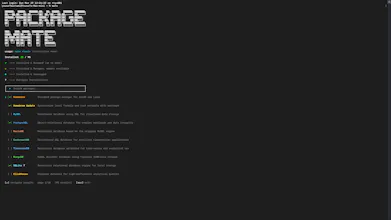
Package Mate is an open source, native Apple Silicon manager built in Go to fix the friction of macOS dev setup. This tool offers a seamless fire-and-forget workflow by allowing you to queue Homebrew installations in the background through automated daemonization while providing a high-performance, zero dependency interactive dashboard for managing your tool stack. It leverages deep version intelligence to resolve conflicts with unmanaged binaries and mirrors setups via base64 strings.




Package Mate
@yousefbustamiii How does the background daemon handle interruptions like network hiccups during big installs, and does it auto-resume?
Package Mate
@swati_paliwal your question really shows u think about the failure moments and not the good moments, and those are signs of a good minded developer, what i did to handle is that i made sure that during network hiccups, during any suspicion of a hiccup, i always run a background look were it checks the current state of the tool u wanna install and then continues from there, and if it founds out that it completely stopped and glitched, it shows and error and never gives false hopes
also the 430 tools i have, like maybe 50 of them is kind of big and would take time, which is still considered mid sized compared to the other 380 tools, but i still handled this for dev experience
Features.Vote
every time i spin up a fresh mac for a new project, the homebrew install queue takes a disproportionate chunk of the first day. the installs themselves are what they are, but the part that kills flow is the terminal being locked. you can't do anything useful in that session while something big is installing, so you tab-switch to something unrelated and lose the setup momentum entirely.
the background daemonization is exactly the right fix for that. being able to queue a stack of installs and keep coding in another session while they run is a small change with a real multiplier on setup days. the base64 export and consume for replicating a setup on a new machine is the other genuinely useful part. i've lost that kind of config state when switching machines more than once.
Package Mate
@gabrielpineda your comment is exactly the reason i built this really well, also i wanted to help further more and give u a video to show you exactly how to set it up:
https://youtu.be/rac4bx7wI58
it shows background management, aborting installations (without any race conditions), exporting a string, consuming it
let me know how it goes for you
Package Mate
ANNOUNCEMT:
Command are:
Mate
Mate bg (for viewing them)
Mate cleanup bg (removes installed apps from background installtion or update history)
mate cleanup (for removing unused homebrew caches and unneeded files)
mate cache (the ability to remove the tools catalog cache or update it (even tho it refreshes every 12 hours so no manual update needed, its tied to a json catalog on our cloud flare pages))
mate export (exports everything u installed via homebrew into a string for later consumption on a new mac or recovery)
mate consume (it consumes the string and is able to install your old setup into a new mac in the background without any issues)