
Owl Browser: Enterprise stealth automation that actually works. While Puppeteer fails 56% of bot detection tests, Owl Browser passes 100%—all 16 categories. Includes 104 automation tools, AI-powered natural language commands, per-context Tor IP isolation, automatic CAPTCHA solving, and sub-second startup. Scale to thousands of parallel sessions without detection. Used for lead generation, data collection, price monitoring, and workflow automation. SOC2 compliant with private cloud options.
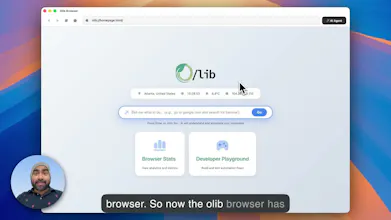


Owl Browser
@fhsethen Hello! Congratulations on the launch. I browsed quickly your homepage and I couldn’t see any trial or free plan, the self-hosted seems to be even more expensive than the starting cloud subscription. Who is your target with this product and do you plan a way to try it without committing large sums?
Owl Browser
@fhsethen @abijahkaj Hey Abijah, it’s Akram from Olib AI. Owl Browser is a large-scale browser (browser-as-a-service) designed for enterprise customers. Developers can build using our BaaS platform. As mentioned on our website, we require signing an NDA. To get a free trial, please reach out to us using our contact form. Once you sign the NDA, you’ll receive a free trial of the developer license. Thanks!
Love the privacy-first approach! Does Owl support Chrome/Firefox extensions, or do you have your own extension ecosystem? That's usually my biggest concern when switching browsers.
Owl Browser
@ahkeminozen This is a browser as a service and we currently don't support any extensions. We tried to build all power browser managements as tools.
The AI-powered natural language commands caught my attention—writing automation with plain English instead of brittle selectors sounds practical. I'm curious how it handles edge cases like dynamic content or sites with heavy JavaScript rendering. Does the AI retry with different strategies when an action fails?
Owl Browser
@yamamoto7 The browser uses our custom DOM, which allows us to find any element even on heavily JavaScript-heavy pages. We employ three different strategies for finding elements: the Semantic Matcher, LLM-based Matcher, and Vision Matcher. While the LLM and Vision matchers can be slower, they serve as a last resort; 85% of elements are matched using the Semantic Matcher, which utilizes our custom-trained ML model.
We actually need to solve this kind of task. Can your service scan large e-commerce platforms? Like Amazon, for example? They have very strong bot protection.
Owl Browser
@mykyta_semenov_ for this, you will need residential IPs. Our browser can scale like no other browser. You can spawn 100 contexts with 100 different proxies and scrape 100 pages in less than a minute (if not login required).
@ibnbd Our task is to collect data based on a user’s query. Roughly speaking, we take 100 large stores and analyze 1–5 pages on each within a few seconds. In theory, should one IP be enough for this?
Owl Browser
@mykyta_semenov_ I would suggest using residential proxies. We don't offer proxies, but the browser is built with per-context proxy support. Please check out the website and the FAQ section.
Minara
Congratulations on the launch! @fhsethen @ibnbd Love the idea of blending browser automation with user-like behavior! I can see it solves the pain point when user try to automate their tasks with agents like Manus but keep on getting rejected by detection.
One thing I’m curious about is edge cases around dynamic UIs: when a page has elements that move/change frequently, how does Owl decide what to click or ignore? Do you use heuristics, or does it involve a feedback loop with the user to adjust selectors?
Also, how do you think about balancing automation power vs. safety (e.g., preventing loops that keep clicking forever)? 🦉
Owl Browser
@fhsethen @amberjolie Thanks for the support! You hit on a massive pain point—modern web apps are incredibly fluid, and layout shifts are the enemy of traditional automation.
To answer your question on Dynamic UIs: We tackle this with a two-layer approach:
Semantic Targeting: Instead of brittle CSS selectors, we use Natural Language Selectors. Our engine uses a multi-scorer ensemble (analyzing text similarity, visual proximity, and element type) to locate the correct element conceptually, even if the DOM attributes have shifted.
Execution Stability: Once we identify the target, we employ a "verify-and-retry" mechanism for the interaction itself. Before a click is finalized, the system calculates the precise element position and performs a rapid stability check (a 10ms micro-wait). If the UI shifts during that window (e.g., a loading spinner expands), we detect that the action didn't land effectively via our Action Result feedback loop. The system automatically retries this process up to 10 times to catch the element in a stable state.
Regarding Safety and Loops: That same retry logic acts as our circuit breaker. Because every action is part of a parsed "action plan" generated by our Natural Language Automation (NLA) engine, we don't just loop blindly. If the 10-try threshold is reached without a confirmed success, the specific action fails, triggering our error recovery protocols rather than spiraling into an infinite clicking loop.
It’s all about balancing agent autonomy with strict execution boundaries! 🦉
Owl Browser
@fhsethen @amberjolie If you have websites that can be used for stress testing our browser, please share them with us. We always welcome a good challenge. Thank You
Minara
@fhsethen @ibnbd Thank you Akram for explaining, this is really fascinating! it genuinely feels like agent behavior is getting much closer to how humans actually perceive and act, especially when dealing with complex, shifting visual environments.
The combination of semantic understanding and execution feedback makes a lot of sense, and it’s exciting to see automation evolve beyond brittle rules into something more adaptive and human-like.
Wishing you and the team great success! looking forward to seeing how Owl Browser continues to push this forward! 🦉🚀