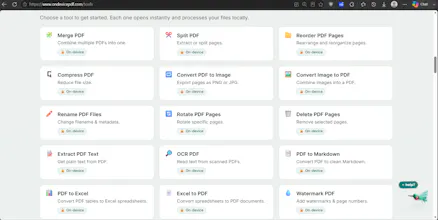
Most online PDF tools upload your file to a server and ask you to trust a deletion policy. OnDevicePDF processes files in your browser instead ā 22 of 23 tools run entirely on-device (WebAssembly), free, no account, works offline. And we publish exactly which feature is the exception, per-tool. Launching soon.
No reviews yetBe the first to leave a review for OnDevicePDF
Maker
š
Hey Product Hunt š
I built OnDevicePDF because of a small, uncomfortable moment I think everyone's had: you drag a PDF into a free online tool ā a contract, a tax form, a medical record ā and you have no idea what just happened to it. Was it uploaded? Stored? Copied? You're trusting a deletion policy you never read.
So I built the version I wanted: 25+ PDF tools (merge, split, compress, convert, OCR, sign, redact, protect) where the file is processed right in your browser. For 22 of the 23 tools, nothing is uploaded ā there's no server to send it to. No account, no watermarks, works offline after the first load.
The part I'm most proud of isn't a feature ā it's the honesty. A lot of "private" tools claim "100% local" and hope nobody checks. I didn't want to do that. There's exactly one tool (the advanced PDF Editor) that uses a temporary, auto-deleted backend for six specific operations like OCR and complex text edits ā and instead of hiding it, we publish a page listing exactly which tool that is and why: https://www.ondevicepdf.com/data...
Building it, the biggest shift was realizing "browser-based" isn't the selling point anymore ā plenty of tools do that now. The trust comes from being specific about where your file goes, tool by tool. That's the thing I'd want as a user, so that's what I made.
It's free. I'd genuinely love your feedback ā especially where it breaks or where you don't believe a privacy claim. Poke holes in it. š
ā Ravi