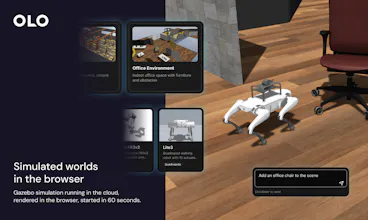
OLO is a web-based platform that gives developers, researchers, and academics everything they need to program robots — without the setup hell. Get ROS2 access, robot visualization, simulation and AI-assisted coding all in your browser. Go from idea to working robot in 30 minutes, not two weeks. No Linux installs. No config rabbit holes. Just you, your robot, and a JavaScript or Python SDK playground ready from day one. Now open for sign-ups.
Hey Product Hunt! 👋
We built OLO because we feel that the status quo is holding back robotics. Linux setup, ROS2 configuration, dependency hell… Precious development and testing time lost.
We wanted to create tools that allowed anyone, including seasoned roboticists, to go from idea to working robot quicker.
With OLO you open a browser, pick your sim environment and robot and start controlling. Teleoperation, ROS2 topic access, an AI coding assistant, a JavaScript or Python SDK are all included. No plugins required.
If you have a ROS2-enabled robot, just drop our Docker container onto the robot. This bridges the data from your robot to the OLO platform. You will be connected in minutes.
We're particularly keen to hear from:
• Software devs who want to say yes to robotics projects
• Academics and researchers losing weeks to infrastructure
• Robot OEMs who want to eliminate customer setup friction
Sign-ups are open now. We'd love your honest feedback. What would make this indispensable for you?
→ olo-robotics.com
Report
Getting ROS2 into a browser runtime without native setup is the real engineering challenge. Most robotics stacks assume a local Linux environment and the dependency graph alone can take hours to untangle. We've hit similar friction building persistent background service connections. How do you handle session state for robot connections? Does each browser session get a dedicated ROS2 node or is there a shared multiplexing layer?
@retain_dev We run the full ROS 2 stack on the robot - Nav2, drivers, and the usual dependency footprint all live in our pre configured appliance, which maintains an authenticated low latency link to the platform. That lets you run full-stack robotics from a web session without installing a Linux robotics environment on every machine. Several sessions per robot share one appliance-side connection; the service distributes telemetry and state to connected clients and routes request/response traffic to the initiating session when required. Bottom line: ROS and time-sensitive compute stay on the robot, control and collaboration stay in the browser, and authentication, routing, and policy are enforced in the cloud.
Report
Reviews
No reviews yetBe the first to leave a review for OLO Robotics
OLO Robotics
Getting ROS2 into a browser runtime without native setup is the real engineering challenge. Most robotics stacks assume a local Linux environment and the dependency graph alone can take hours to untangle. We've hit similar friction building persistent background service connections. How do you handle session state for robot connections? Does each browser session get a dedicated ROS2 node or is there a shared multiplexing layer?
OLO Robotics
@retain_dev We run the full ROS 2 stack on the robot - Nav2, drivers, and the usual dependency footprint all live in our pre configured appliance, which maintains an authenticated low latency link to the platform. That lets you run full-stack robotics from a web session without installing a Linux robotics environment on every machine. Several sessions per robot share one appliance-side connection; the service distributes telemetry and state to connected clients and routes request/response traffic to the initiating session when required. Bottom line: ROS and time-sensitive compute stay on the robot, control and collaboration stay in the browser, and authentication, routing, and policy are enforced in the cloud.