
Notch: Your Smart Teleprompter
Stop memorizing scripts for demos and calls.
55 followers
Stop memorizing scripts for demos and calls.
55 followers
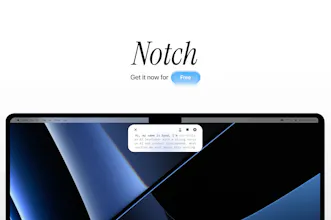
Notch is an open-source, invisible-to-screensharing, smart teleprompter for Mac and Windows that sits next to your laptop camera so you can read your script while looking at the lens (perfect for hackathon demos and meetings). Your script scrolls with your speech, it's completely offline, doesn't collect your data and you don't have to pay $59 for it :)


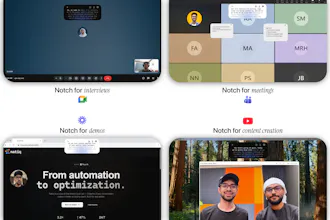


Hey Product Hunt! 👋 I'm Syed, one of the makers behind Notch.
We built this because we kept bombing hackathon demos, reading scripts from a separate window and losing our place mid-sentence.
So we made an open-source teleprompter that floats right next to your webcam and scrolls automatically with your voice (local speech model, no cloud nonsense).
It runs fully on-device, stays completely invisible during screenshares, works on both Mac and Windows, and shines for interviews, calls, and live demos.
We noticed there were no smart teleprompters for Windows so here you go!
Free forever if you get it during launch week. We've been using it for calls and recordings for weeks now, and we'd love feedback especially around real-world usability. I'll be here all day :)
Hi, first off—great work on Notch. The idea of a voice-following teleprompter that keeps eye contact natural is genuinely useful, and the product looks really promising.
I tried running the app on my Windows 11 (64-bit) laptop (Ryzen 5 5500U), but I’m getting the error: “This app can’t run on your PC.”
My system is x64-based and fully supports 64-bit applications, so I don’t think it’s a compatibility limitation on my side. I’ve also tried re-downloading the file and running it as administrator, but the issue still persists.
Could you clarify whether this build targets a specific architecture (e.g., ARM) or if there are additional requirements to run it?
Looking forward to trying it once this is resolved—really like what you’re building here.
@mohamed_eltour hey mohamed, thank you for your kind words :) you can go ahead and download the windows version now. the issue was from the download on our end.
Does the speech scrolling model handle pauses and filler words gracefully, or does it lose sync when you go off script? Awesome that it stays invisible during screen shares!
@borrellr_ hello ignacio, yes it does! filler words and pauses get discarded and are not considered to be a part of your speech so it stays at where you last left off correctly. try it out yourself and let us know what you think :)
I have grabbed this. I want to create more video content and struggle so much with speaking confidently. Thanks!
@james_plant Appreciate it James! Let us know how it goes, and of course any suggestions you have on Notch, we're trying to make it as use-case-inclusive as possible :)