
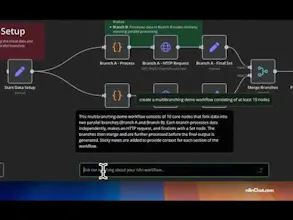
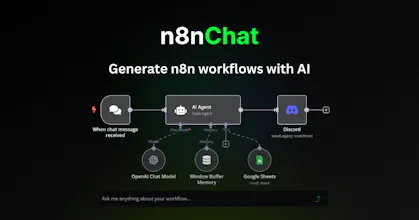
n8nChat brings AI directly into your n8n workflow editor. Describe what you want to automate in plain English, and watch as it instantly generates complete nodes and workflows. Like Cursor but for n8n, it can create, edit, debug, and optimize your workflows.
Free
Launch Team / Built With


LoomTalk it through in Loom. Ship with AI
Promoted
New guide for a common n8n pain: Loop Over Items / Split in Batches still OOMing (including silent Docker heap deaths).
Pattern that works: Loop Over Items → Execute Sub-workflow → tiny Set return from the child. Batching alone does not free parent RAM.
https://n8nchat.com/blog/n8n-loo...
Second tutorial is live: n8n webhook response modes (Immediately vs When Last Node Finishes vs Respond to Webhook), and why callers hit a ~100s timeout when the Agent or a slow HTTP Request sits on the critical path.
https://n8nchat.com/blog/n8n-respond-to-webhook-timeout
n8nChat still does one job: open your workflow as context and place/fix the graph on the official n8n canvas. This is the how-to, not a new product feature.
New guide is live: Schedule Trigger firing at the wrong time? Timezone, publish, and missed runs.
https://n8nchat.com/blog/n8n-sch...
It covers workflow vs instance timezone, GENERIC_TIMEZONE and TZ, republishing so your changes actually stick, and what happens with missed runs.
A reminder that n8nChat is a Chrome/Firefox extension that builds and edits workflows right on the official n8n canvas, using your own OpenAI or Gemini key. More free n8n guides are on the homepage and the blog.
Hope it saves someone a debugging session!
Shipped a short guide on the n8n Wait node and webhook resume URLs — the gotchas that bite when you use time delays, forms, or unique resume URLs. Live here: https://n8nchat.com/blog/n8n-wai...
Shipped a practical guide: wiring LazyAds MCP + REST/webhooks into n8n for media-buying spend alerts (ack webhooks fast, HMAC verify, pause/budget, Slack). https://n8nchat.com/blog/n8n-mcp...