
MinkNote is a native macOS notes and journal app built on plain Markdown files you own. No database, no account, and no vendor lock-in. Organise work with projects, journals, tags, fast search, rich text or Markdown editing, and automatic image organisation in one private, local-first workspace.


Forum Threads


View all
The no account, no database line is the part that lands for me. I built something else where the pitch to the other side was also no account to create, and the thing that surprised me is who it actually converts. Almost nobody exercised the escape hatch and walked off with their files. But knowing the hatch was there is what made them commit in the first place. It read as a trust signal more than a feature people used day to day.
Curious whether you are seeing the same, or if your Markdown crowd genuinely round trips out to Obsidian and back the way the other folks here are asking. Those feel like two different kinds of user and I could never tell which one I was actually building for.
Hey @leomiller_dev - thanks for the feedback!
The product would have been way easier to manage if it had sign in, and I came pretty close to setting it up with SIWA. But have spent too much time on Reddit, and users there seem to really hate signups so I went with anon approach. Even the TestFlight was 100% anonymous which I regret because 400+ folks signed up and I have none of their details😭
Regarding no lock-in, this was a different aspect and really important for me. Have been searching for a decent notes app for about 15 years and several time I got locked into platforms along the way - each time getting my content out was so painful. Never again 😃
Do my users roundtrip to Obsidian: the optional analytics wouldn't even tell me. I plan to setup a user forum soon to get a healthy dialog going with users and customers.
I suspect for many people the “files you own” part is a trust signal: they may never leave, but knowing they can leave makes it easier to commit.
But the Product Hunt feedback today has also made it clear there’s a second group: people who already live in Markdown folders and want MinkNote to be a nicer native Mac layer over that existing system, not a new silo.
I think I’m building primarily for the second group, while making the first group feel safe enough to start.
@demianturner The anonymous TestFlight regret hits home. I made the same call on the client side and the blind spot is real. You optimize so hard for the other person never having to identify themselves that you end up with no idea who just used the thing. One thing that helped me was capturing intent without identity, a single non signup question like what are you here to do. No email, but it tells you which of your two groups just walked in.
The second group framing is the sharp part of your reply too. A nicer native layer over folders people already keep is a much easier yes than asking them to move into a new home.
@leomiller_dev great points!
I’ve had the same problem myself: lots of Markdown files and folders scattered across Finder, technically portable, but not especially pleasant to browse or work with. MinkNote is meant to make that existing folder-based setup feel native and calm, without turning it into a new silo.
Previewing other file types is on the roadmap too, closer to how Notebooks handles mixed content folders.
And I love your phrase “capturing intent without identity”. That’s probably something I should bring into onboarding: let people say what they’re here to do, without forcing them into an account.
@leomiller_dev @demianturner I've been using Notebooks for a couple years and this is a great feature—especially useful for including pdfs, pages and numbers documents, and bookmarks that render as webviews.
The plain Markdown files with no vendor lock-in is the right call for anyone who has been burned by app-specific formats. Curious about the image handling — are embedded images stored as separate asset files in a subfolder next to the Markdown, or does MinkNote embed them as base64 inside the note itself? That detail determines whether the files stay readable in any other Markdown editor after you stop using MinkNote.
@hi_i_am_mimo Thanks Valeria :-) Yes I've been burned many times too by various vendors, that's why I insisted on this "feature". And I find the MD exports of all the top apps actually leaving something to be desired. All sorts of glitches become apparent, especially if you have code snippets and slightly complex MD in your notes.
You got it exactly right: embedded images are stored as separate asset files in a subfolder next to the Markdown file. I often switch between MinkNote and Obsidian for viewing projects or "vaults" and it's seamless, based on the way I setup Obsidian.
MinkNote's image folders are currently named "i" by default but I could easily make that configurable.
The separate file approach is the right call — base64 embedding breaks diff views and makes files unreadable in plain text editors. Making the subfolder name configurable would be especially useful for Obsidian users since Obsidian defaults to its own attachment folder path; being able to match that setting would remove the only friction point in the dual-use workflow you described.
@hi_i_am_mimo that's a great point. I'll make sure the "migration" path is smooth for Obsidian users, thanks for mentioning. I actually have a separate app for exporting Day One content (which is somewhat opaque) then it's just one click to open up in MinkNote.
Congrats! Your pitch hit me. I already keep notes and projects in plain Markdown-folders.
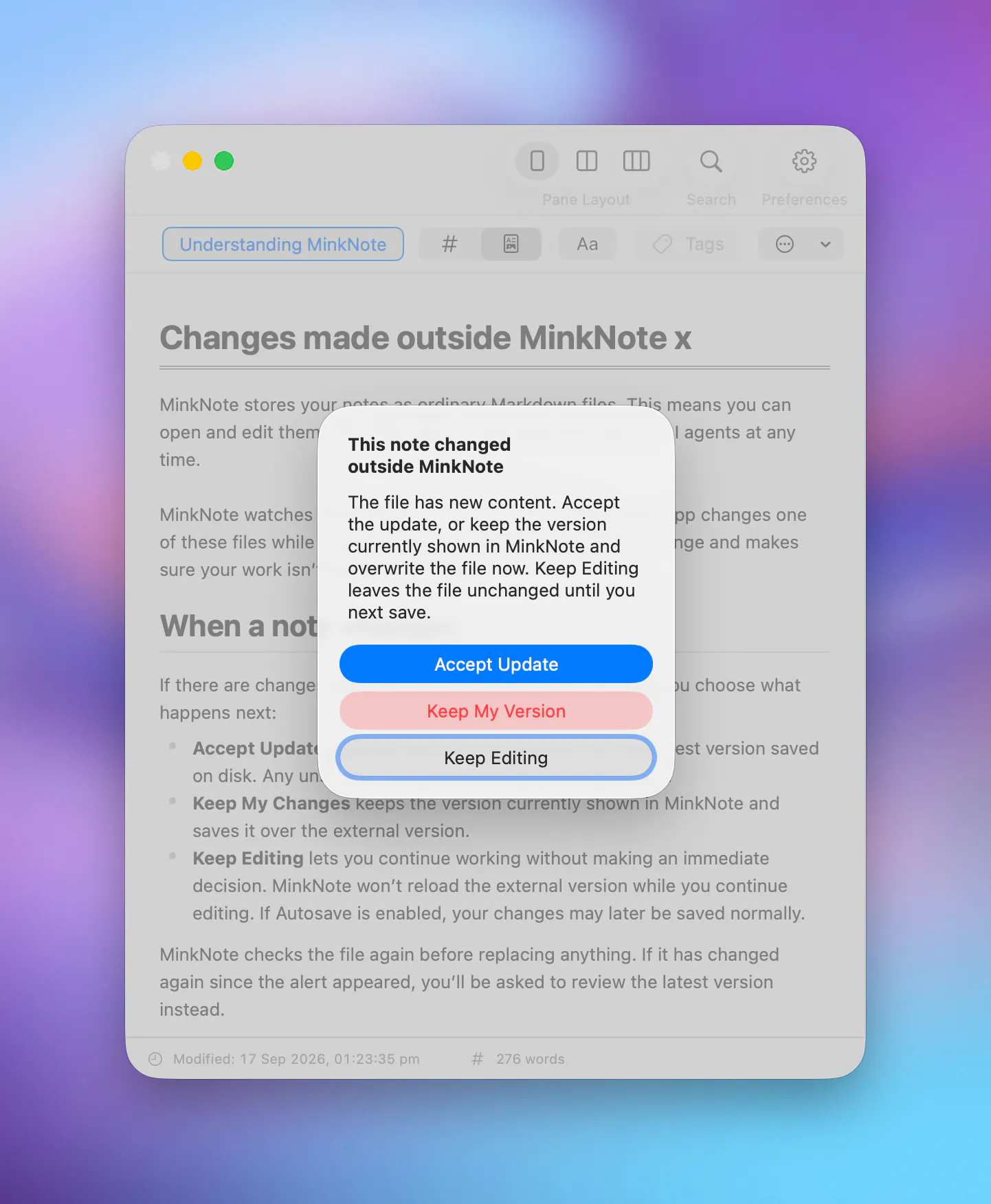
Can you point MinkNote at an existing folder with Markdown-files you've already got? Or will the app own it's own folder structure? And can it handle that my files are edited externally (another editor, script) while it's open? Meaning, will it pick up the edits?
Thanks for commenting @firecalculatorhq! You sound like the ideal user for MinkNote :-)
Yes absolutely you can point MinkNote at an existing folder of Markdown notes on your disk. Each folder/collection is treated as a project, and there’s currently a projects switcher in Preferences. I probably need to move this to the main UI and some users switch a lot.
For external editing: today, MinkNote picks up changes after folder switching. A filesystem watcher is near the top of my priority list so edits from other editors/scripts can be reflected immediately.
Today’s launch is very much about getting the MVP in front of users after almost a year of development, so feedback like this is exactly what helps me prioritise the next pass.
Thanku for the elaborate answer :) And luckily, the answer was exactly what I hoped for!
The "file system"-watcher is the thing that makes it for me. My files gets edited by scripts and other tools all the time, so "picks up changes after folder switching" would've messed up my workflow today. When the watcher lands, I'll try it out properly!
@firecalculatorhq I'll post back here when it's ready
Thanks, man! Kick ass in the mean while :)
Congratulations on the launch, and great product. The "no lock-in" pitch is a bit undercut by the app itself being closed source, that's the part people actually worry about long term, not just the file format. Open sourcing even just the editor/sync layer would make the durability claim a lot more credible!
@aidan_codefox Thanks Aidan for kind words, appreciate it :-)
I agree Open Source can make long-term trust easier, especially for local software tools. For MinkNote, the main longevity/durability promise is that your notes are plain Markdown files in folders you control, so even if the app disappeared tomorrow, your work does not.
I ran a fairly popular FOSS project between 2003-10 and learned that it can be a huge time sink and requires a different kind of guidance and focus. For this product I’m aiming to keep the app sustainable as a commercial Mac app while making sure the users' data stays portable and independent of MinkNote.
That said, I’m already planning to open up some of the app’s components for sharing with other devs. For both myself and MinkNote users, it’s very beneficial to have community review of the work.
Hey Demian,
Congratulations on releasing this app.
This is just what I needed. I don't like cluttered, fancy notes apps.
I tried a few notes apps and I always returned to my TextMate editor with tabs - simple and effective.
Now I am actually using MinkNote. It's simple, no clutter. I have all the text editing tools and options that I need.
I was a bit confused at the beginig with how to create a different folder. Perhaps, for me, "Journal" might not be the best wording - it doesn't give me instant feedback that this is actually a folder.
I have a free trial, so I am going to port some of my notes from TextMate and here and see how it goes.
Hi @jopetric - that’s great to hear you’re already using MinkNote. Thanks so much for the thoughtful feedback!
Lack of clutter is one of the main design goals, so I’m really glad that came through. I’m aiming to refine that even further.
Talking about tabs, I’ve avoided adding them for now because MinkNote lets you open notes in separate windows, then use the Mac’s App Exposé to quickly choose the note you want. That said, I know tabs are a very natural workflow for a lot of people coming from editors like TextMate, so I’ll keep listening there
Great point about naming with "Journal". I've been a heavy Day One user for too long to mention so got it from there, but you're right that it can be confusing when the thing is really just a folder of notes. Exactly the kind of feedback I'm looking for.
Would love to hear how the TextMate porting goes. Please do keep in touch.
the "no database" promise is what caught my eye, but tags and fast search are usually where apps quietly cheat on that. when you tag a note, does that tag actually get written into the markdown file itself (like YAML frontmatter), so it survives if you open the file in a totally different editor, or does MinkNote keep tags in its own separate index that only it understands?
@galdayan Hi Gal, thanks for the feedback.
Yeah it was a lot of work to support no database and only use the filesystem but I've found the performance is pretty good. One of my "vaults" is ~10k files so I'm testing real use cases.
The app is not cheating: note metadata (tags, favourite, etc) is written to its Frontmatter, and there's a scoped indexing system that updates when changes are made. The indexes and some minimal metadata are stored as JSON and the user can choose to rebuild them, if needed.
Great idea!
Does MinkNote have any kind of built-in automatic backup system? Most people are used to working in the cloud and don't have the habit of backing up their files. A disk failure or simply switching devices could cause them to lose their notes. Have you planned for this?
Hi @luis_parker - thanks for your feedback, fair question.
MinkNote doesn’t currently include its own automatic backup system. The notes are regular Markdown files in folders on your Mac, so the intended approach is to use the backup/sync tools you already trust: Time Machine, iCloud Drive, Dropbox, Git, Backblaze, or whatever you prefer. iCloud Drive is encouraged.
The upside is that MinkNote isn’t a single place where your notes can get trapped. The tradeoff is that users do still need a backup habit, just as they would for any local files.
I do think the app should do a better job of nudging people during onboarding: “these are your files, please put this folder somewhere backed up.” That’s now on my list.
Longer term, I may add optional helpers around backups, but I’m cautious about turning MinkNote into its own sync/backup platform. I’d rather integrate cleanly with the Mac/filesystem ecosystem than create another hidden storage layer.
Showing diffs for text changes however, which I think is related, is something I'd like offer early on.
@demianturner Thanks for your reply. I think a notice about backups during onboarding will suffice for now. Non tech-savvy users often need guidance with this kind of stuff that may be obvious for people like us.
Good luck with the product!
Thanks @luis_parker - I've added your comment to feedback I'll be processing for the next release.