Launching today
MarkPDF

MarkPDF

Markdown → PDF for CJK. Live preview, no watermark, private

3 followers

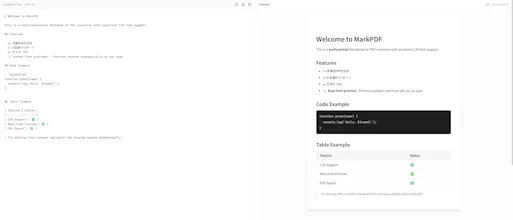
MarkPDF converts Markdown to print-ready PDFs with flawless Chinese/Japanese/Korean rendering. Write or paste Markdown, see a live preview, then download a crisp PDF—no watermark, no account. Everything renders locally in your browser (privacy-first). Supports CommonMark + popular GFM extras (tables, task lists), code blocks, and configurable page sizes/margins. Works on desktop and mobile.
MarkPDF gallery image
Free
Launch Team / Built With

What do you think? …

JK88-1337
Maker
📌
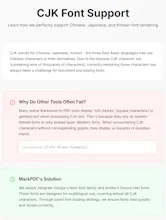
Hi Product Hunt — maker here. I built MarkPDF because exporting Markdown to PDF kept breaking for multilingual docs, especially Chinese/Japanese/Korean: garbled characters, “tofu” blocks, and font inconsistencies. MarkPDF’s goal is simple: what you write in Markdown is what you get in a clean, print-ready PDF. What makes it different: Perfect CJK rendering (no more → □ when you write in CJK! ) Live preview while you edit Privacy-first: conversion happens locally in your browser (no upload, no account) No watermark, high-quality output with page size/margin controls I’d love your feedback: What Markdown→PDF edge cases do you hit most (tables, code blocks, mixed languages)? Thanks for checking it out — happy to answer questions and iterate fast.