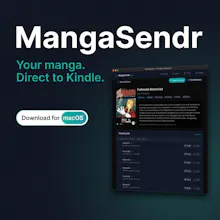
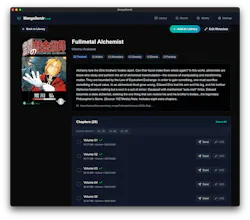
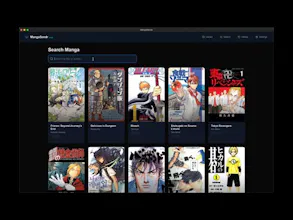
Stop fighting with PDF converters. MangaSendr is the macOS / Windows app that bridges your local manga library and your eReader. ✨ Smart Delivery: Auto-splits large volumes to fit Kindle email limits. 🖼️ Auto-Metadata: Fetches covers, tags & details from AniList. ⚡️ Watched Folders: Drop a file, it syncs instantly. 🔌 USB & Cloud: Wireless for daily reads, USB for bulk archives. 📱 Optimized: Perfect cropping & margins for every Kindle model. Built by manga fans, for manga fans.
No reviews yetBe the first to leave a review for MangaSendr
Maker
📌
Hey Product Hunt! 👋
I built MangaSendr because I love reading manga on my Kindle, but I hated the process of actually getting the files onto the device. The existing workflows were painful : running python scripts, manually converting PDFs, splitting files to fit the 25MB/50MB email limit, and dealing with bad margins/cropping.
I wanted a tool that felt like a high-quality native Mac, so I did it myself (Hi Thanos!)
MangaSendr handles all the heavy lifting for you:
Smart Splitting: It automatically detects file sizes and splits volumes so they never get rejected by Amazon's email servers.
Metadata fetching: It connects to AniList to grab official covers and synopsis, so your library doesn't look like a mess of random filenames.
USB Mode: For those with massive libraries (or older Kindles), you can blast transfer 100+ volumes in seconds via USB.
Watched Folders: Set a folder, drop a .cbz or .zip file in, and it just appears on your Kindle.
Deep optimisation : contrast, smart cropping, spread management, lossless compression.
It’s been a passion project to make the reading experience seamless for e-ink readers.
I’m shipping v1.0 today and would love to hear your feedback!
Happy reading
Report
Looking good. Always a pain to transfer these, I’ll give it a whirl to load my son’s Kindle