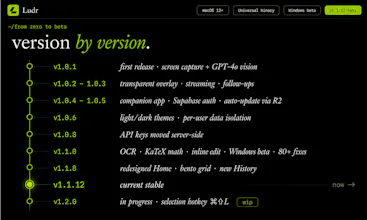
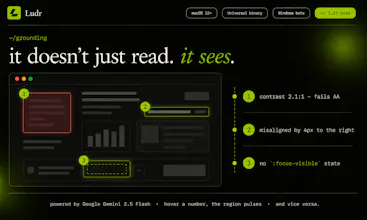
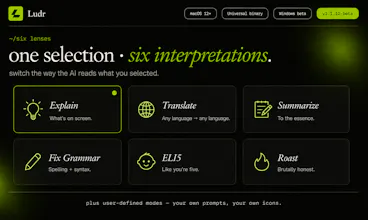
Ludr AI - is a screen AI for macOS and Windows. Press ⌥ Space anywhere to draw a box over code, a chart, a foreign menu, or an error — get a streamed answer right next to your selection. Press ⌘ ⇧ L on highlighted text in any app to ask without a screenshot. Follow-ups remember the whole thread. The model can extract text, fix grammar in place via Accessibility, draft replies into focused fields (Slack,Mail,Telegram), and render real charts inside the answer. Voice input too.
Tines The single, secure environment for agents, apps, and automations.
Promoted
Maker
📌
Hey Product Hunt 👋
I’m Bekay — co-founder & CEO of Ludr.
My co-founder Alazim (CTO) and I have been building Ludr AI with our team in Astana over the past year.
The idea came from a habit we couldn’t stop noticing in ourselves:
Every time we got stuck on something on our screen a Postgres error, a Japanese menu, a weird chart, a design screenshot we’d take a screenshot, switch to ChatGPT, paste it, type a question, wait for the answer, then switch back.
The AI was useful.
The constant context switching was exhausting.
So we started asking ourselves:
What if instead of moving the question to the AI, we moved the AI directly to the question?
That became Ludr.
You press a hotkey, select anything on your screen, ask naturally (text or voice), and the answer appears right beside your workflow — without tab switching or breaking focus.
A few things completely changed how we built the product along the way:
At one point, we thought voice would be the main feature. We built an entire separate voice mode around it. But users got confused and thought Ludr was “a voice app.”
So we simplified everything.
Now voice is just part of the flow — one small button inside the input bar. That became a rule for us: if a feature needs its own complicated surface, we’re probably doing something wrong.
Another big lesson was trust.
We paused feature development for weeks to rebuild how model requests work because we didn’t want users worrying about exposed API keys or security tradeoffs. Not the fun part of building, but absolutely necessary.
One of our favorite recent improvements came from watching someone take a screenshot of text that was already highlighted on their screen
We realized we were accidentally teaching people extra friction.
Now Ludr can directly understand selected text instantly — no screenshot or OCR needed.
The bigger thing we’re chasing now is continuity:
making Ludr feel less like a chatbot you open and close, and more like an AI layer that stays with you while you work.
We’d genuinely love brutal feedback today:
UX issues, weird model behavior, things that broke, things that feel magical — all of it.
Alazim and I will be here in the comments all day.
— Bekay
Report
Reviews
No reviews yetBe the first to leave a review for Ludr AI — Understand Any Screen