
ListingsReady
Create listingsready product images with tested AI workflows
5 followers
Create listingsready product images with tested AI workflows
5 followers
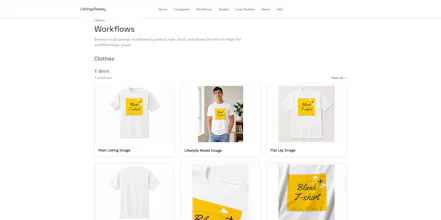
ListingsReady helps e-commerce sellers create accurate, professional product images using tested AI workflows. Unlike generic prompt libraries, each workflow includes a ready-to-use prompt, the best AI tool, common mistakes, and fix prompts. Sellers can create Amazon and Shopify images faster while preserving the product’s colour, texture, print, shape, and details—without expensive photoshoots or endless trial and error.



Free
Launch Team / Built With


Framer AI AgentsDesign and publish professional sites with AI
Promoted
The workflow guides are genuinely useful, especially the bit about preserving print and texture which is something I always struggle with in AI generations.
@selahattinjtpw Thanks, I really appreciate that. Preserving the original print and texture is one of the main reasons I started building ListingsReady.
Which AI tool do you usually use, and what type of products are you creating images for? I’d like to understand where the biggest accuracy problems happen so I can prioritize the right workflows next.
You can also follow us on Instagram - @listingsready for more everyday updates
Love that each workflow tells you which AI tool actually works best and warns you about common mistakes before you burn credits. Saves a ton of trial-and-error frustration.
@selim9xif Thanks, Selim, that’s exactly the frustration ListingsReady is designed to reduce. Different AI tools handle product details very differently, so knowing which one works best and what commonly goes wrong, can save a lot of wasted credits and time.
Which product category do you usually create images for? That would help me decide which workflows to prioritize next.
You can also follow us on Instagram - @listingsready for more everyday updates