
GliaKit
Ship a SaaS that looks designed, not AI-generated
14 followers
Ship a SaaS that looks designed, not AI-generated
14 followers
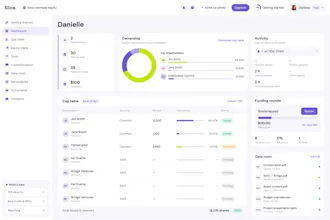
A Next.js + shadcn/ui boilerplate with auth, payments, database and email already wired — plus a Figma library and Cursor/Claude Code rules files that stay in sync. Your AI tools generate UI that matches the system instead of drifting from it.



Payment Required
Launch Team / Built With


RegentMacro & Supplement Tracker
Promoted
Love how the Figma library and Cursor rules stay synced, that's the part I usually have to fight with on every project. One thing I'd love to see is a starter integration for background jobs and queues, maybe something like Inngest or Trigger.dev wired in with a real example task. So many SaaS ideas need that from day one and it's annoying to bolt on later when the AI tools have already shaped everything around the basic template.
@automationhq Thank you! And this is a really well-argued request, the 'annoying to bolt on later because the AI has already shaped everything' framing is exactly the lens we use for deciding what belongs in the starter vs. docs. Background jobs clear that bar. Can't promise a date, but Inngest/Trigger.dev with one real example task is going on the shortlist. If you want to influence which one wins, tell me your typical first background job, that's what the example should be.
Love that the Cursor and Claude rules files stay synced with the Figma library—that closes the loop on AI-generated UI drift in a way most boilerplates completely ignore.
@charlizetheron Thank you! Drift was honestly the whole reason GliaKit exists,a UI kit and a codebase that agree on day one but diverge by week three helps nobody. Keeping the rules files synced with the library means Claude and Cursor always generate against the current tokens and components, not a stale snapshot. It also keeps token usage down since the AI isn't re-ingesting the whole design system every prompt. Curious, have you been handling drift manually in your own workflow so far?