
Folio
A read-later app sending a typeset digest to your e-reader
87 followers
A read-later app sending a typeset digest to your e-reader
87 followers
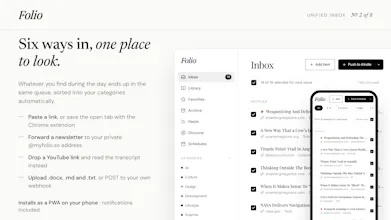
I built Folio because I kept getting distracted by notifications when trying to read on my phone. Folio takes your open tabs, RSS feeds, and newsletters, and turns them into a cleanly typeset digest. You get a private email address for newsletters, and it strips out the ads and menus. Then it automatically delivers a custom PDF or EPUB directly to your reMarkable, Kindle, or Google Drive. The idea is to move your reading to an e-ink device, so you can actually focus.




Surprised to discover something i never knew i needed :))) definitely gonna use your free trial. It is so simple to forward the content to mail
@ninuna_ungiadze2 thank you so much! Happy to see people really enjoying Folio and finding it useful. Less scrolling, more reading ✌️
@kylecarlton let me know what you think!
@bvdr Will do!
@kylecarlton Thank you! I've put a lot of effort into keeping it simple yet powerful.