
FlowShelf
One free Mac app instead of five subscriptions
7 followers
One free Mac app instead of five subscriptions
7 followers
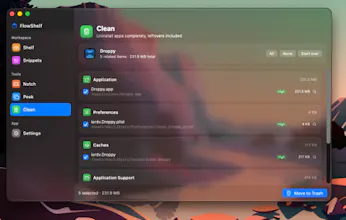
FlowShelf is a free, notarized macOS menu-bar app that replaces a stack of paid utilities: clipboard manager, self-cleaning drag-and-copy shelf, screenshot studio, window snapping, ⌥Tab switcher, dock window peek, snippets, app cleaner, notch shelf, and on-device Apple Intelligence for summarizing and cleaning up saved items. No account, cloud, tracking, or Electron — just a ~7 MB native Swift app, source-available on GitHub so every claim can be verified.


Free
Launch Team / Built With


ClarifyThe full-stack AI CRM for modern GTM teams
Promoted
Notarized and source-available for free is a bold combo, does that create any friction with App Store distribution or are you intentionally skipping it?
@sedanurazaaa70 Good question. FlowShelf is intentionally distributed outside the Mac App Store for now — direct download + Homebrew + Sparkle updates. Notarization is just Apple’s security check for Developer ID apps distributed outside the App Store, so users still get Gatekeeper trust without me having to sandbox away the utility-style features FlowShelf needs.
Source-available doesn’t create friction there either; it just lets people inspect the code. If I ever do a Mac App Store build, it would probably need some feature compromises because clipboard, window, cleaner, and menu-bar utilities are a lot more constrained in the sandbox.
how does the on-device apple intelligence stuff actually perform for someone who has hundreds of clips saved up, does it get sluggish or is it pretty snappy
@zahide899987 It stays pretty snappy because the AI is not constantly running over the whole shelf in the background. FlowShelf only calls Apple’s on-device model when you explicitly ask — like summarize, clean up, or Ask AI.
For hundreds of clips, the app first narrows the context to the relevant shelf/snippet data instead of dumping everything blindly into the model. Normal search is instant/token-based, and AI answers may take a few seconds depending on how much context you ask it to process, but it should not make the whole app sluggish. Also: no cloud/API cost — it runs locally through Apple Intelligence.