FlowSavvy

Automatic time-blocking planner

4.7
7 reviews

134 followers

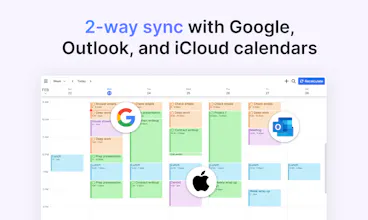
FlowSavvy intelligently schedules tasks from your to-do list into your calendar so you can see exactly what needs to get done and when. Integrates with Google Calendar and features fully functional iOS, Android, and Web apps.
FlowSavvy gallery image
Free Options
Launch Team
Migma AI
Migma AI
Lovable for Email
Promoted

What do you think? …

Lucas Barnes
Hello hunters! My brother and I created FlowSavvy to automatically plan our schedules better than we could, and in a fraction of the time. This was our secret super power in college since we could just dump all of our assignments into the app and have it spit out our optimized schedule for the next few weeks. We think back and wonder how we ever managed without it. Key features: ✔️ Automatically build your schedule based on tasks from your to-do list and events from your calendar ✔️ Automatically balance your workload over multiple days (bye-bye procrastination!) ✔️ 1-click recalculate your entire schedule when you get behind ✔️ Repeating events and tasks (<-- flexible habits!!) ✔️ Tasks color coded by how close they are scheduled to their due date (green, orange, red) ✔️ Free version that includes limited access to EVERY feature ✔️ There's a ton more, let us know in the comments if you have a question about a certain feature! One of our main focuses with this app has been to aggressively simplify our UI and make auto-scheduling more accessible for everyone, not just the niche power users and enterprise teams. Your support means the world to us. We'd love to hear thoughts and feedback and we're happy to answer any questions!! P.S. Please enjoy a PH-exclusive, half-off discount on the annual Pro plan by using the promo code HUNT50 when subscribing through Stripe (our Apple and Google subscriptions don't support promo codes yet). To redeem the code, create an account, then go to https://flowsavvy.app/pricing and click "Upgrade now".
Navin Peiris
Oh wow, exactly what I need! I’ve been time blocking non time sensitive tasks less and less because it’s a super annoying having to manage it when something inevitably pops up. Going to give this a proper play later today and I’m pretty sure you can count me as a customer already. Great product, demo video and pricing as well. Congrats on the launch and all best!
Navin Peiris
@navinpeiris and you already have an iOS app! Amazing!
Lucas Barnes
@navinpeiris totally, regular time-blocking is effective but easy for your plan to get messed up. Thanks so much for your support! so excited for your to see more of the product! Let me know if you have any thoughts or questions later on.
Lucas Barnes
@navinpeiris #mobilefirst ftw ;)
Jacob Barnes
Thanks @navinpeiris! and so true, hoping this can reduce that manual effort so more people can experience that benefit of time blocking. Would love to hear your first impression when you play around with it later! Appreciate your kind words!
Navin Peiris
@lucas_barnes thanks Lucas will do!
Timur Ercan
I'm usually sceptical of AI tools, but I will definitely check this out. Really curious how it feels to work like this :)
Jacob Barnes
@timur_ercan1 Totally feel you on that, I'm usually pretty late on adopting AI stuff as well. FlowSavvy actually uses a carefully designed, deterministic algorithm to schedule based on the parameters you set so that it can still be predictable and reliable, which has been a huge help with the goal to make it as easy to use as possible. Thanks a ton for checking it out and I'd love to hear your thoughts on it!
Timur Ercan
@jacob_barnes I'd love to speculate, but I'll have to try it, otherwise my using aren't that useful 😀
Jacob Barnes
@timur_ercan1 Definitely haha, thank you!
This is such a small yet significant idea to help people block their time and be productive. I've always thought of trying out time blocking to get things done but didn't proceed much with that. Tried the Flowsavvy app and it does a good work in blocking the time and rescheduling when required. Also, color coding helps. The onboarding and interactive process was easy and clear. Kudos to that. The UI is kinda similar to Google Calendar and easy to navigate. Just a small suggestion with UI. The newly added time block sticks to the left side of the day instead of being in the middle (symmetric). Not sure if this same with Google Calendar but just thought of conveying it. Congratulations on the launch, Lucas.
Lucas Barnes
Thanks so much for this great feedback @nithincp! The thinking with the left-side alignment is to have a bit of room to be able to click to create new events/tasks. Appreciate the feedback on that and we'll continue to evaluate that idea!
Jacob Barnes
@nithincp It really is a simple but powerful concept, and we're trying to keep the product as simple as possible to match that as well. Really appreciate your feedback! The initial thoughts from the first interactions are so valuable 🙌
@lucas_barnes @jacob_barnes Looking forward to see you and product grow 😄
Lucas
Congratulations on the launch of FlowSavvy! It's great to see an app that can help users to automatically plan their schedules better and in a fraction of the time. The ability to automatically build schedules based on tasks from a to-do list and events from a calendar is a fantastic feature that will save users time and effort. The automatic workload balancing feature is a great addition that will help users to avoid procrastination. The ability to recalculate the entire schedule with just one click is a great feature that will help users to stay on track. The inclusion of repeating events and tasks is a great addition that will help users develop flexible habits. The color-coded tasks feature is a fantastic addition that will help users to prioritize their tasks based on their due dates. It's great to see that there is a free version of the app that includes limited access to every feature. I'm excited to see how this app evolves in the future and how it can continue to benefit users. Keep up the great work!🎉🎉🎉
Jacob Barnes
Thanks @lucas_graham_8! Yep, you hit just about everything 😂 Appreciate your kinds words and feedback!
Daniyal Anjum
Love this product! Congrats on the launch. What would be super cool (but I know can be difficult) is to let me integrate JIRA tickets. Because I already put in hours in those tickets, and so FlowSavy just needs task name + hours + due date, which are all in my tickets.
Daniyal Anjum
Also, is it possible to have FlowSavvy directly on top of my Google Calendar or do I always need to be in FlowSavvy's calendar?
Lucas Barnes
@daniyalbetween yes, that would be awesome! We're tracking interest in different integrations so I'll add a vote to JIRA for you. Thanks for your support!
Lucas Barnes
@daniyalbetween thanks for asking! Do you mean whether it's possible to put FlowSavvy tasks and events in your GCal calendars? If so, then yes, you can totally do that and they'll sync just fine! If you meant something else, please let me know:)
Daniyal Anjum
@lucas_barnes Yup, that's what I meant! Didn't figure out how to do that. I thought FlowSavy was just something I used as a separate calendar
Poulami Nag
This looks helpful! congratulations on the launch. Good luck!✨
Lucas Barnes
@poulami_nag thanks so much for the kind words!
Jacob Barnes
Thanks @poulami_nag!!
123
Next
Last