
FixMyFile
50+ free file tools that work in your browser — no uploads
5 followers
50+ free file tools that work in your browser — no uploads
5 followers
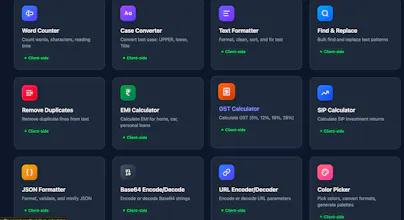
Free online platform with 50+ tools for PDFs, images, documents, and more. Everything runs client-side — your files never leave your browser. Features: - PDF: merge, split, compress, convert, sign, watermark - Image: background remover, resize, compress, passport photo maker - OCR: extract text in Hindi, English, Tamil + 8 languages - Document Formatter: auto-fix Word formatting in one click - Calculators: EMI, GST, SIP - Dev Tools: JSON formatter, QR code, Base64



Free
Launch Team / Built With


Dropbox SignSimple, secure eSignatures for the way your team works.
Promoted
How does it actually work with bigger files though, like a 200-page PDF split — does the browser ever slow down since everything is running locally?
@nihatsaydak7de Good question! Since everything runs in your browser using JavaScript (pdf-lib + WebAssembly), here's how it handles large files:
- A 200-page PDF split works fine — pdf-lib processes it in memory. Tested up to 300+ pages without issues.
- For very large files (50MB+), it depends on your device's RAM. Modern phones with 4GB+ RAM handle it easily. Older devices with 2GB might feel a slight lag.
- The browser tab uses more memory temporarily during processing, but frees it after download. No permanent slowdown.
- Tip: if you're splitting a 200-page file into individual pages, it generates a ZIP — that part takes a few extra seconds but works reliably.
The main bottleneck is device RAM, not internet speed (since there's no upload/download wait). A laptop handles large files faster than a phone simply because of more available memory.
Let me know if you hit any limits — happy to optimize for specific use cases!
The client-side approach is genuinely impressive, no uploads means no waiting around for slow servers. The OCR in Hindi and Tamil is a nice touch since most tools only handle English well.