
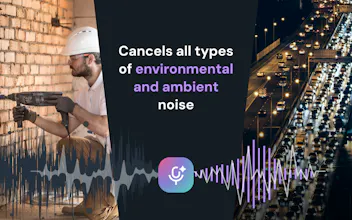
Effects SDK helps developers add production-ready AI video and audio effects to web, desktop, and mobile apps. Add background blur, virtual backgrounds, smart framing, lighting correction, beautification, overlays, avatars, and real-time noise suppression — all running client-side, without sending video or audio to our servers.


Free Options
Launch Team

Render: Get up to $100K in startup creditsThe fastest way to launch and scale your startup in the cloud
Promoted


The client-side approach is a nice touch since nothing leaves the device, which feels reassuring for any app handling camera or mic input. Smart framing and background blur worked smoothly in my quick test, no setup hassle.
Client-side processing is a real win for privacy, and the noise suppression actually held up well on my laptop fan. Wish the docs had a bit more on tuning the smart framing.
Background blur runs entirely on-device and the latency feels solid even on my mid-tier laptop. Nice that nothing gets shipped to a server, makes it way easier to pitch to privacy-conscious clients.
Privacy-first approach is a huge plus, especially the client-side noise suppression that actually works without lag. The smart framing saved me a ton of dev time on a recent project.
The client-side approach is a huge plus, no latency issues and the background blur actually holds up well in low light. Smart framing feels a little stiff during fast movement, but for a drop-in SDK it saved me a ton of setup time.
The client-side approach is a big plus, keeps user data private without sacrificing quality. Background blur and noise suppression worked smoothly on my laptop without noticeable lag.
finally dropped in a smart framing call over lunch and it ran smooth as butter on my laptop without any server hits. super impressed it handles noise suppression client-side too, my mic has never sounded cleaner.