
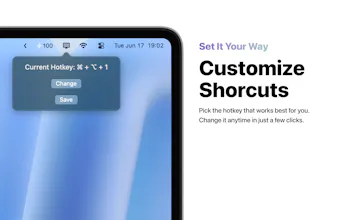
DisplayGo lets macOS users instantly swap their main display using a single shortcut key. Perfect for dual-monitor setups — no more dragging windows or fiddling with settings.


Free
Launch Team / Built With


EneyProactive AI for Mac. Free test, 20,000 credits.
Promoted


Simple idea, powerful impact. DisplayGo solves a real daily friction for macOS users with dual monitors. Love how seamless and intuitive it is — one shortcut, instant results.
DisplayGo is a fantastic tool for macOS users with dual-monitor setups! With just a single shortcut key, it allows you to instantly swap your main display, saving you from dragging windows or adjusting settings. I’m excited to see how it simplifies multitasking and boosts productivity by making display management seamless and quick!
This is such a handy tool for anyone rocking a dual-monitor setup! 🙌 Instantly switching main displays with just a shortcut key is a real time-saver—no more dragging windows around or digging through system preferences. Super excited to give DisplayGo a try! 🚀 Thanks for making multi-display life so much easier! 👏🖥️✨