DesignCode UI

DesignCode UI

300+ beautiful and functional Figma and Framer components

5.0
3 reviews

129 followers

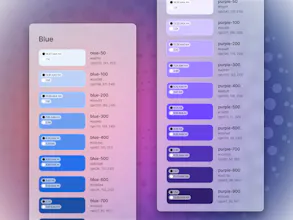
A vast, dynamic design system with hundreds of customizable UI components and templates, ready for Framer deployment and meticulously organized with variables, variants and adaptive layouts. Made from decades of pushing pixels.
DesignCode UI gallery image
Free Options
Launch Team
ace.me
ace.me
Your new website, email address & cloud storage
Promoted

What do you think? …

Meng To
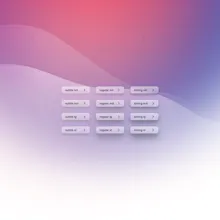
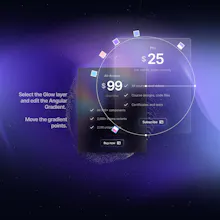
About three months ago, as a designer who teaches, I thought what if I could create a UI kit that not only taught designers about the ins and outs of modern design systems but also equipped them with a treasure trove of customizable components? Think of it as your mega toolkit for design. With over 300 components, more than 2,000 Figma variants, and a whopping 2,116 unique icons, it's packed to the brim with everything you need. Plus, it's got Auto Layout and 200+ Variables, all wrapped up in Glass, Outline, and Flat styles. This is decades of my experience as a designer into a single package. But it's not just about quantity. Design tools have evolved so much that you can basically do your adaptive layout. And this project, with its color and shadow systems, gradients, and spacing systems, not only helps you keep up with the pace of modern design but also guides you in creating designs that are modern, functional, and code-friendly. Now, what really sets the DesignCode UI Kit apart is its unique theming. It's got its own distinct vibe, with the background setting the mood, the glass soaking up the colors, and the shadows adding depth. Yet, it's also super flexible. You can switch between light and dark mode, or adjust styles to Glass, Outline, or Flat. Plus, all styles use a blurred layer, perfect for any background, whether it's a desktop or a webpage. So, that's the DesignCode UI Kit in a nutshell. A tool that lets you create beautiful designs with ease. Can't wait to hear what you think! It's currently at 50% off!
Tornike Tsiramua
@mengto Great work guys! The theming options and flexibility to switch between modes and styles make it even more appealing. Kudos on putting together such a valuable design tool.
Meng To
@tornike_tsiramua1 Worked really hard a unique theming system, including the various background patterns and 3 distinct styles. Glad it's being noticed. Thank you!
Meng To
@brendanciccone Wow, thank you so much for purchasing the kit. I will make sure add a lot more components, specifically for modals and tables! :) Btw, if you could add a review on PH, that'd be amazing. Would love to have you as a customer testimonial!
josie
@mengto congrats!
Neel Patel 🦕
@mengto Looks like a massive resource for all the designers out there. Happy to see you launching this. I wish you good luck :) I'd be happy to share across my designer friends and colleagues!
Meng To
@neelptl2602 Wow, thanks so much Neel for recommending this to your friends and colleagues!
Julien Ergan
The design is so neat and elegant, congrats!
Meng To
@julienergan Extra happy to hear the word elegant. :)
Maria Loleyt
Thanks a lot, you have very high design quality!
Meng To
@maria_loleyt Thank you, that's much appreciated!
André J
Nice! When swiftUI?
Meng To
@sentry_co Ha! I was thinking of doing one for iOS / SwiftUI if this project takes off!
André J
@mengto Glad to hear it. I love what the folks at http://movingparts.io is doing in the intersection between great design and UI framework. But plenty of room to differentiate / innovate
Hikaru Nagashima
Really cool. I'll definitely use it. The best.
Meng To
@hikaru_nagashima Appreciate it! Let me know if I can answer any question. :)
Roger Oba
Your landing page is absolutely stunning, which serves as a great selling point to your customers 😁 love it!! What is the real target audience of your product? Existing Framer users? Does one have to be a designer? I'm an indie maker with little-to-no experience with web FE, I wonder if Framer (or your product) would be easy for me to pick up and start from?
Meng To
@rogeroba Great question, this product is for any maker, designer, developer who wishes to create a site effortlessly. I don't think you need to be a designer since Figma and Framer are fairly easy to learn. What's difficult is coming up with a system, which is the part we do. If you've used either of these tools, you'll find this each to pick up.
Roger Oba
@mengto Thanks for clarifying! Sounds great! 🤩
12
Next
Last