
Cubby
Your Mac's little details, one keystroke away
10 followers
Your Mac's little details, one keystroke away
10 followers
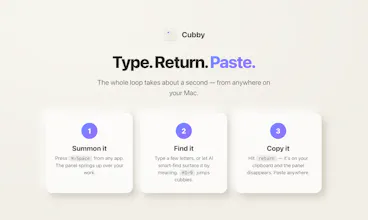
Cubby lives in your Mac's menu bar. Hit a hotkey and an elegant panel pops up with your named compartments — phone, API keys, bank details, snippets. Type, press return, it's copied. On-device AI finds anything by meaning. 100% local. Nothing leaves your Mac.


One thing I'd love to see is the option to set per-compartment auto-clear timers, so anything sensitive like bank details disappears from the clipboard after a few seconds. Right now I have to remember to wipe it manually.
@aslsrayf7hd Done — 1.2.0 adds a per-compartment auto-clear timer 🔒 Set Bank to wipe the clipboard 15s after you copy, leave Personal off. Exactly what you described. No more manual wiping.
@aslsrayf7hd
Love how clean the panel feels and the on-device search is genuinely fast. One thing that would make it a daily driver for me is per-compartment hotkeys, so I can jump straight to my most used ones without cycling through. Right now I have to open Cubby every time even when I just want my AWS key.
@nagacbacak97168 This is live as of 1.2.0 🎉 Every cubby can now have its own global hotkey — press it anywhere and the top entry copies straight to your clipboard, no window, no cycling. Set it in the cubby's editor or Settings → Compartment shortcuts. Your AWS key is now one keypress away. (If you're on an older build, grab 1.2.0 once and it'll auto-update itself from here on.)
@nagacbacak97168
Love the on-device approach and the clean menu bar workflow. One thing that would make it stickier for me: a way to right-click any text anywhere on macOS and send it straight into a compartment without opening the panel.
@ebruakalakdotr This is live now in 1.3.0 🎉 Select any text, right-click → Services → Add to Cubby, and a compartment picker pops up right at your cursor — filed without ever opening the panel. You can even bind a global shortcut to it in System Settings → Keyboard → Keyboard Shortcuts → Services, so it's select → keystroke → pick → done. Exactly the "without opening the panel" flow you wanted. Thanks for pushing on this one — it genuinely made Cubby stickier. (Cubby auto-updates, so you'll get it in the background.)
the on-device semantic search actually works which caught me off guard, asked it for my stripe test key and it pulled the right one from a mess of old snippets
@mcahithmua This made my day 🙏 The whole point of the on-device embeddings was exactly that "wait, it actually found it" moment — so hearing it land means a lot. And zero of that leaves your Mac. Thanks for giving it a real run.
The on-device semantic search is genuinely impressive, found my obscure API key with a vague description. Menu bar pop-up feels snappy and stays out of the way, which is exactly what I want from this kind of tool.
the on-device semantic search is genuinely thoughtful — most clipboard managers only do exact match so finding that one api key by vague memory is usually a nightmare. love that it stays local too.