
ccglance
Never miss a Claude Code session waiting on permission
10 followers
Never miss a Claude Code session waiting on permission
10 followers
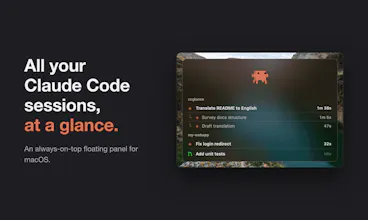
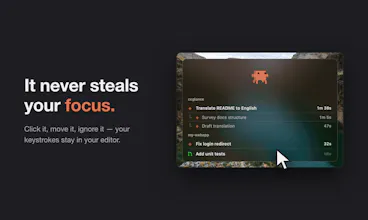
A native macOS floating panel that shows all your Claude Code sessions grouped by project: what each one is working on, a yellow pulse when one is waiting for your permission, and PR status when idle. Swift/AppKit, zero dependencies, never steals focus. MIT.



A quick win would be a global keyboard shortcut to jump straight from the panel into the specific Claude Code session that needs your attention, so you don't have to hunt through the list manually when something is waiting on permission approval.
@reyhandedemli Love this idea — the panel intentionally never steals focus, so an explicit "jump to the session that needs me" hotkey is the perfect complement. Adding it to the roadmap, thanks! 🦀
Been looking for something like this for ages, the yellow pulse for waiting permissions is genuinely useful and it actually does not steal focus, which is rare for these kinds of overlays.
@polat0sfi
Thank you! The no-focus-steal part was actually the hardest constraint to get right — the whole point is to glance at it, not interact with it. Glad the yellow pulse is earning its keep 🙌
finally a way to keep track of all my claude code sessions without alt-tabbing forever. the yellow pulse for permission prompts is genuinely useful, especially when i have three or four projects going at once.
@beratbbdj
Thanks! The alt-tab shuffle is exactly why I built this 🙏 Glad the yellow pulse is pulling its weight across your projects!
the yellow pulse for permission requests is such a thoughtful touch, hard to miss without being annoying. love that it stays out of the way until you actually need it.
@kerem425261
Thanks! "Noticeable but not annoying" was the design goal in one sentence, so this comment makes me happy. Glad it works that way in practice!
the yellow pulse for pending permissions is such a thoughtful touch, and keeping it a floating panel that never steals focus is exactly the kind of restraint that makes native macOS apps feel right. really clean execution.
@nermina7zv
Thanks so much! Native macOS apps taught me that the best UI is the one you forget is there until you need it — that's exactly what I was going for. Appreciate the kind words 🙌