Browser Notes
Your ideas, organized - not uploaded
201 followers
Your ideas, organized - not uploaded
201 followers
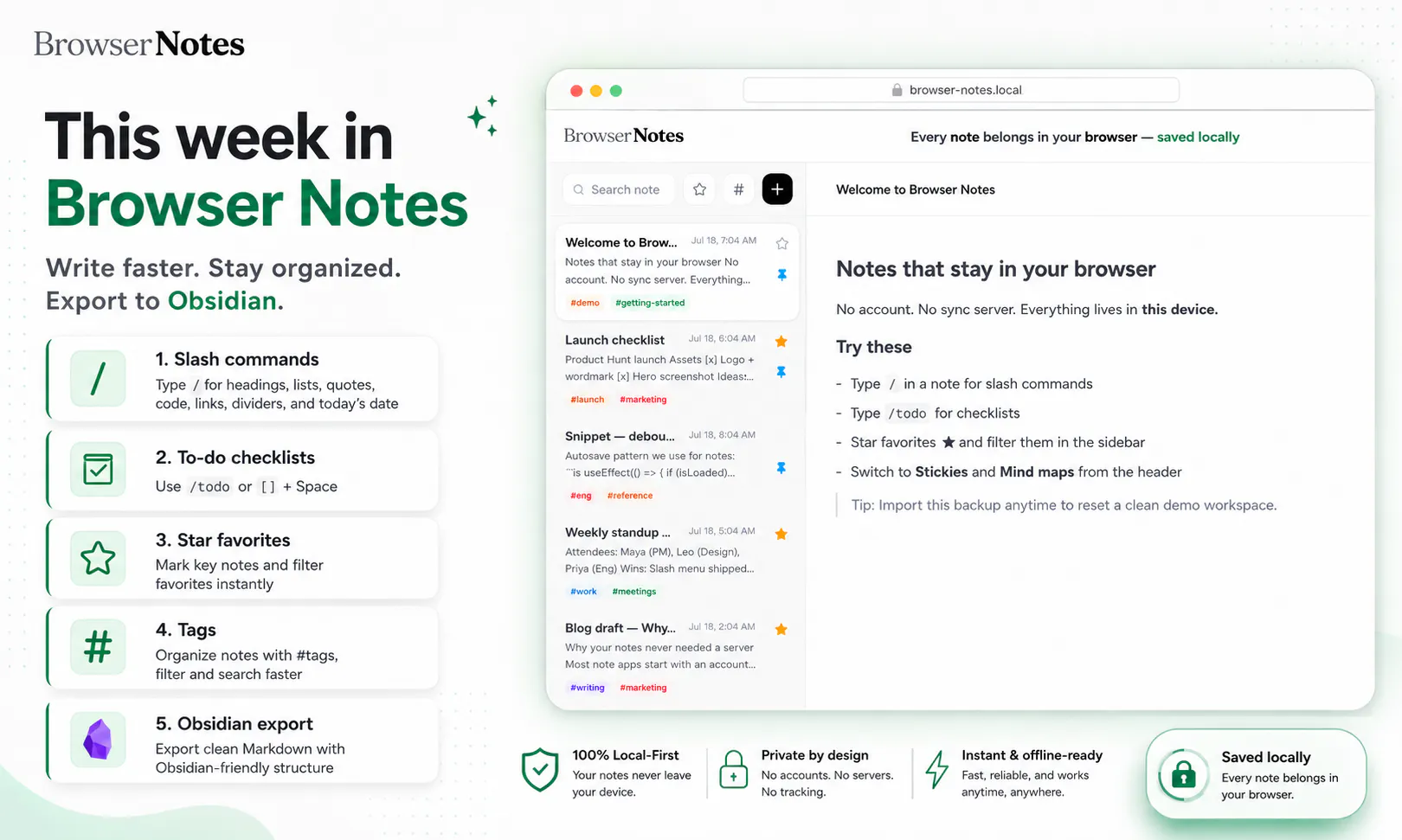
Notes are often scattered across writing apps, sticky boards, and mind-mapping tools, while your private ideas are pushed to the cloud. Browser Notes brings notes, sticky notes, and mind maps into one local-first workspace. No account, no tracking, and no forced sync. It works offline, stores everything in your browser, and lets you back up your data anytime.


How does the local storage actually hold up if I want to move my notes between browsers or devices without relying on a cloud account?
Browser Notes
@demirel_ye77608 That’s the main trade-off of the local-first approach: your data lives in IndexedDB inside a specific browser profile, so it doesn’t automatically follow you to another browser or device.
To move it, you can export your Browser Notes workspace as a backup file and import it into the other browser or device. There’s no cloud account or automatic sync involved today. We’re exploring simpler private device-to-device transfer options, but we want to avoid introducing hidden cloud storage or account dependency.
Great stuff! Later down the road, would support for NAS (Network Attached Storage) systems be considered? For folks/orgs with more local data infra, this could be helpful for keeping data on-prem and accessible.
Browser Notes
@jacob_galajda That’s a really interesting direction, and it fits well with the local-first philosophy.
NAS support isn’t available today, but we’d definitely consider it for users and teams that want their data to remain on-prem while still being accessible across devices.
We’d need to design it carefully so Browser Notes stays simple for individual users while offering an optional self-hosted storage layer for more advanced setups.
Thanks for suggesting it, adding this to our feature considerations.
How does the local-first setup hold up if I switch browsers or clear my cache by accident, is there a clear way to restore from a backup without losing the mind map structure?
Browser Notes
@necatipisk53626 Yes, the backup is designed to preserve the full Browser Notes workspace, including the mind map structure, not just the text inside it.
You can export a backup file and import it later in another browser or after resetting your current one. Since the data lives locally in IndexedDB, clearing normal cached files usually shouldn’t affect it, but clearing browser/extension storage or removing the browser profile can. Keeping a recent exported backup is the safest way to restore everything exactly as it was.
love the no-account, no-sync-server approach for something this personal. small edge case I'm curious about - if I have the app open in two tabs at once and edit the same note in both, what happens when I switch back to the first tab, does it overwrite the other one or does it warn me first
Browser Notes
@galdayan Great edge case and definitely something a local-first app needs to handle carefully.
At the moment, both tabs access the same local IndexedDB data, and there isn’t a conflict-warning interface yet. If the same note is edited independently in two tabs, the most recently saved version may overwrite the earlier one.
We’re looking at real-time tab coordination and conflict detection so changes can be reflected across open tabs instead of silently overwriting each other. Thanks for raising this!
How does this handle larger mind maps or note collections once you start hitting browser storage limits, and is there a clear warning before something gets cut off?
Browser Notes
@ayhanargundogan Good question. Browser Notes uses IndexedDB, so the available space is much larger than traditional localStorage, but the exact quota still depends on the browser, device, and available disk space.
For typical text notes and mind maps, users should have plenty of room. Very large collections could eventually approach the browser’s limit, though, and we agree that nothing should fail silently. A clear storage indicator and warning before the limit is reached is something we want to add, along with an easy export option so users can back up or move older work before storage becomes an issue.
Love that the whole thing lives locally in the browser, no signup or sync nonsense. The choice to back up only when you want feels really considered.
Browser Notes
@harun1559701 Thank you! That was exactly the intention, keep your thoughts private by default, remove the signup friction, and let you decide when and where a backup should exist.
Really glad that approach resonated with you 🙌
finally a notes tool that keeps things local and doesn't beg for an account. the mind map view is surprisingly snappy for a browser-only app
Browser Notes
@n_yalc14858 Thank you! That’s exactly what we wanted Browser Notes to feel like - open it, start thinking, and stay in control of your data without creating an account.
Really glad the mind map performance stood out too. We’ve worked hard to keep it fast even though everything runs locally in the browser 🙌