Bito AI: Bring ChatGPT to your IDE for devs

FREE to use, 10x your devlife, used by thousands!

5.0
3 reviews

346 followers

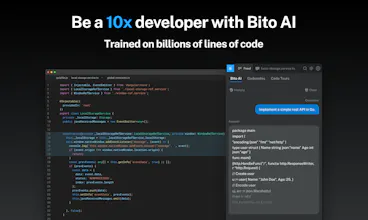
Bito’s AI Assistant brings ChatGPT to your IDE or Chrome and makes it easy to write code, understand syntax, write test cases, explain code, comment code, check security, and even explain high level concepts. It really works!
Bito AI gallery image
Free
Launch Team
AppSignal
AppSignal
Get the APM insights you need without enterprise price tags.
Promoted

What do you think? …

Amar Goel
Hi Product Hunters 👋 Myself, @ananddas, and @mukesh_agarwal are excited to bring you Bito AI, a product that we think can transform your development experience. We want to help you be a 10x developer, or at least save a couple of hours a day! As a developer there are so many things to do, from actually writing code, to testing it, to remembering syntax, understanding new code, making your code secure and performant, etc – the list goes on and on. Many of them are boring, and don’t let you focus on high impact work. 😤 We thought wouldn’t it be great if we could use AI to help you do this, and thus Bito’s AI was born. 🤞 Bito’s AI Assistant is like a Swiss Army knife that can do so many things – and make you that elusive 10x developer! It works right in your favorite IDE (we support Visual Studio Code and all Jetbrains IDEs like IntelliJ, PyCharm, GoLand, etc) and is also available as a Chrome Extension. Bito AI is a FREE app! 👍 What does Bito’s AI Assistant help with? Basically, ask any technical question: 🔥Generate Code: Examples: “code in java to convert a number from one base to another”, “code to implement a simple rest API in go” ☝️ Command Syntax: “how to set git config variables”, “create an encrypted s3 bucket using the AWS cli” 🥇 Test Cases: “Generate test cases for this code ” 🔑 Explain code: “explain this code ” ✍️ Comment Method: “Explain this code and explain the parameters ” ⚡ Improve Performance: “how can I improve performance of this code ” 🔒 Check Security: “Is this code secure?” 📽️ Explain concepts: "explain B+ trees, give an example with code", “explain banker’s algorithm” Trained on billions of lines of code and millions of docs, it’s pretty incredible what AI can help you do without having to search the web or waste time on tedious stuff. We'd love to have you try it out, let us know what you think! It’s totally free. We know we have a long way to go, but your feedback will make it incredible! One more thing: We handle security very seriously, and never store or view your code in any way. Thanks, Amar
Farisa Ottaviano
@ananddas @mukesh_agarwal @amargoel Hi Anand and Mukesh, that sounds like a really exciting product! Congratulations on your launch
Amar Goel
Awee Gee
@ananddas @mukesh_agarwal @amargoel this one is awesome!congrast on your launchmakers!
Mukesh Agarwal
VijayKumar Dogra
This looks promising with my first install from the launch day. It surely had started giving me some inputs about my code in IntelliJ IDE. Looks good and promising. Definitely this is going to stay on top of my tools and utilities for a very long time.
Mukesh Agarwal
@vijaydogra thanks. Appreciate your enthusiasm.
Kunal Kumar
Perfect..!!! vscode extension to boost productivity while developing your code. The best part is the AI feature which will help developers to implement high-quality code or get to know about the perfect implementation of the existing codebase. Will recommend this extension to my peers or friends
VijayKumar Dogra
@kmr_kunal Yes, that's a cool feature. I tried it just now after your comment and it seems to be super cool ! This should have been used way before I would have written my piece of code
N K
Google Chrome extension was easy to install and use. This looks pretty cool. Along with Technical, code samples related questions, you can also ask anything that's there in your mind. What questions do you have for Bito AI ?
Anna Jefferson
@nisha_kmri I asked Bito AI how to create a Java script sign up form in code - and it worked! Mind blown 🤯
Ahtsham Uddin shaikh
Looks Some thing new , Power of AI Great product for Developers . Installed it now, the Product is freaking good .......... Totally Nailed it!!!!!!!!!!!!!!! @amargoel
Mukesh Agarwal
@amargoel @arshu1988 thanks Ahtsham. Would love to hear more feedback.
Mayank Singh
The Google Chrome extension looks great and tried different questions answers are quite accurate and will check the vs-code plugin later. The product looks great and is very helpful for quick solutions.
Mukesh Agarwal
@mayank_singh22 thanks, Mayank. Thanks for trying it out. Reach out to us with more feedback.
Ravindra Pawar
This looks like an innovative solution to a common problem of developers.
Mukesh Agarwal
@ravindra_pawar thanks Ravindra. Let us know if you more feedback.
123
•••
Next
Last