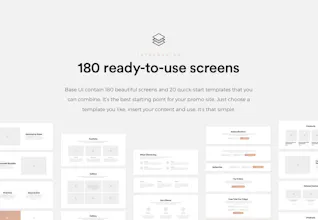
Base UI is impressive Design System consist of 180 screens, supercharged with nested Nested Symbols and Predefined Text-Styles. It’s a great tool for playing around with flow and ideas, that activates design thinking like nothing else. With a Base UI Framework you access a huge arrangement of everything you need to design and prototype in Sketch.
@nathanwindsor Hey Nathan! This framework does not have responsive layouts (at least for now), but you can add some responsive screens manually using the same symbols system.
But don't forget that it's a toolkit for a Sketch App, not ready HTML blocks.
Report
@_mayerr got it, thank you for your great work. I suggest adding a section explaining how to do this on your medium post.
@nathanwindsor Yeah, actually entire “Getting started” post needs to be rewritten. Since its writing, I've launched several serious updates, definitely will do this until the end of the month.
Thank you! Feel free to ping me if any questions occur.
Report
----
Pros:
Detailed and very well designed screens, cool symbols organization. and typography.
Hi, Product Hunters and thanks @kwdinc for hunting!
I’m Robert Mayer, creator of the Base UI Framework.
Base UI is a Design System consists of 180 screens, supercharged with nested Nested Symbols and Predefined Text-Styles. It’s a great tool for playing around with flow and ideas, that activates design thinking like nothing else.
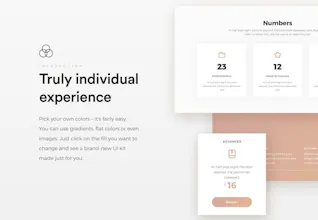
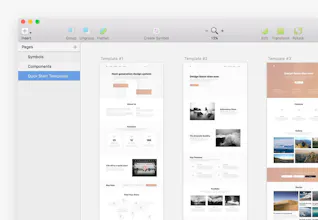
With a Base UI Framework you access a huge arrangement of everything you need to design and prototype in Sketch: Custom Color and Typography setup, Headers, Content Cards, Blog Components and much more. Everything is accurately labeled and grouped, components are customisable through nested symbols.
View all screens here: https://sketch.cloud/s/m1aPJ
For Product Hunters, we’re offering special 30% discount code — “PHLOVE”, use it at checkout, but hurry up: there are only 50 of them :)
Check the website and all details: https://getbaseui.com
@csaba_kissi Thank, Csaba! Yep, Sketch is really killed Photoshop when it comes to web design, especially after features like libraries and nested symbols.
@pori_alex Glad you liked it! I wanted to use the least trite colors. but the main point is that entire color scheme is super easy to customize, so it doesn't really matter which it has by default :)
InVision
InVision
----
Pros:Detailed and very well designed screens, cool symbols organization. and typography.
Cons:None for me
InVision
InVision
InVision
InVision
InVision