
Backgrind
Run your AI agents over any app, even games.
289 followers
Run your AI agents over any app, even games.
289 followers
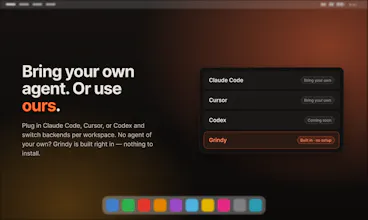
Your AI agent shouldn't chain you to a terminal. Backgrind floats it in an always-on-top window over any app — even a fullscreen game — and pings you only when it actually needs a decision. Bring your own (Claude Code, Cursor) or use Grindy, the built-in agent with zero setup. Multi-agent tabs, voice, Build/Plan, click-through, local-first — your login, your history.




Backgrind
Hey PH! 👋
The problem I kept hitting: I'd hand a task to my AI coding agent… then just sit there watching a terminal. Babysitting. The agent's grinding away and I could've been shipping the next thing — or playing a game.
So I built Backgrind: an always-on-top overlay that runs your agent (Claude Code, Cursor, or Grindy, my built-in one with zero setup) over any app — even a fullscreen game. It only pings you when it actually needs a decision. Fire it, walk away, come back when it taps your shoulder.
It started as a scrappy "let me see the terminal over my game" hack and grew into a real thing: multi-agent tabs, voice, Build/Plan, click-through, local-first (your login, your history — nothing new to trust). macOS & Windows.
So now I'm grinding with my agents. 🚀
Dial
The always-on-top overlay concept is clever but I keep running into the same mental model question - if the agent is doing work I trust, why do I need it floating over my screen at all? The value prop seems to be "run agent + do something else" but the overlay creates its own attention tax. The games angle makes for a good demo but I'm not sure that's where the real workflow is. Most of the people I know running AI coding agents want to context-switch to something productive, not a game, while it runs - and for that a simple tray notification would work fine. The multi-agent tabs are more interesting than the headline use case. What does the breakdown of actual usage look like between the "play a game while it runs" vs genuine parallel work scenarios?
Backgrind
@galdayan Yeah, fair honestly. If you fully trust a run and it never needs you, a notification is totally fine.
The thing is the window isn't meant to just sit there in your face. It stays hidden (and click-through) until the agent actually needs you for something, a yes/no or some quick decision, and then you just deal with it right there instead of digging back into a terminal. So go do whatever, another repo, emails, whatever. The game thing was half a joke tbh, my ADHD way of saying you can literally do anything while it runs, even play something. It only bugs you when it matters.
And yeah, the parallel stuff you mentioned is really the point. Once you've got a few agents going, a notification can't tell you which one needs you or what it wants. That's what the window's actually for.
On the breakdown, I've just launched so I don't have solid numbers yet. My gut says mostly parallel work with games as the fun hook, but that's a guess.
Backgrind
@harshchandgotia Honestly, keeping it dead simple. It stays out of your way, then the one second it needs you it just pops a button, you tap yes/no, and it's gone again. No babysitting, no digging through a terminal.
Same whether you're a pro juggling five agents or brand new to this, quiet by default, one tap when it matters :)
StartupBase
Curious how click through works in practice when the agent needs to briefly take over the screen.
Backgrind
@attacomsian Good q, and the fun part is it never actually takes over the screen, that's the whole point. It's just a window on top.
Click-through means it goes semi-transparent and your clicks pass right through it, so it's there but never in your way. There are custom hotkeys to flip it back to clickable the moment you want to act on something. So you get options: keep it always on but see-through so you can glance anytime, or just hide it completely and pop it up with a hotkey when you actually need it. Either way you stay in control :)
What models are used and what can you tell about safety?
Backgrind
@waldemarius Great question! Two ways to run it, both built around your privacy.
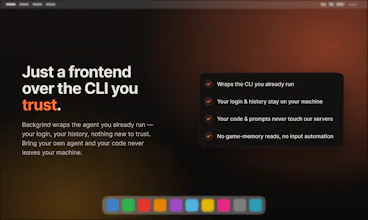
BYO mode: plug in your own agent CLI, Claude Code, Cursor, or Codex, on your own account. Backgrind's a thin frontend over your real CLI, so your prompts and code never touch our servers, your login, your history, nothing new to trust. You approve or deny what the agent runs, and voice is transcribed on-device with whisper.cpp so audio never leaves your machine.
Want zero setup? Grindy, our own hosted agent built on OpenCode + Claude, runs through our proxy and just works out of the box, and a .grindignore still keeps stuff like .env from ever being read or sent.
"Only pings you when it actually needs a decision" is the detail that matters more than the overlay itself. I run AI agents handling real customer calls and the thing that actually saves me time isn't watching a dashboard, it's a notification that only fires on the exceptions. Most monitoring tools dump everything and let you drown; the bar should be silence by default, signal only when a human decision changes the outcome.
Backgrind
@david_marko That's exactly the thing. The overlay's just the surface, the real work is the threshold, only buzzing you when a decision actually changes the outcome. Everything else you just learn to tune out.
local-first plus "your login, your history" is a meaningful privacy/ownership claim, but curious what that actually means for Grindy specifically, is the agent itself running locally too, or is "local-first" mainly about where your session data and history live while the actual model calls still go out to a cloud API? those are pretty different claims and worth being precise about