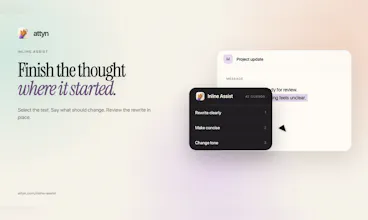
As a professional juggling multiple AI tabs for basic tasks like writing emails or aligning my team, this feature is a game changer. I can dictate right at the cursor within any app and use the inline assist tool to refine the text. This is what I would use in my day-to-day life.
Screen assist and blackboard are also vital. Instead of copying text or taking screenshots to learn from ChatGPT, I can bring that intelligence directly into any tab or infrastructure I am using. That is the main thing that makes this product unique, and it helps me finish my tasks ten times faster.
Attyn
Attyn
Watch Attyn in action:
Complete product film: https://youtu.be/0qGNmaA9gDg
30-second tour: https://youtu.be/66BQUMIi7CU
@Rohit C — the local-model/BYOK choice is a strong complement to cursor-level assistance. Screen Assist plus Blackboard looks especially useful when a question needs both the current app context and a visual explanation. How are you deciding when Attyn should infer context automatically versus ask the user to scope what it can see?
Attyn
@getosmo Thanks Anuj. The line we drew is simple: attyn infers the cheap, harmless context on its own, and a deliberate gesture from you is what grants the sensitive kind.
Inferred automatically: which app is frontmost, where your cursor is.
Content is always scoped by the gesture itself. Inline Assist sees only the text you selected. Screen Assist sees the screen only at the moment you tap the shortcut, and if you hold it instead, you circle exactly the region it may look at. Nothing is watched passively between gestures, and captures exclude attyn's own windows.
So there's no runtime heuristic deciding what to read. The gesture is the consent.