Animant

Animant

Go Beyond Static Presentations

328 followers

Flat slideshows put people to sleep. Introducing a platform that uses AI to combine text, audio, video, and 3D models to deliver presentations your audience won't forget. Start with resources you already have. Animant creates concise chapters that summarize discussions, trim recordings, and automatically rotate 3D models as you speak. Students and teachers can elevate notes into engaging experiences, and marketing and sales teams can impress clients with product demos they can try at home.
This is the 2nd launch from Animant. View more
Animant 2.0

Animant 2.0

Go beyond static presentations
Bring your presentations, lessons, and stories to life with Animant — the immersive presentation app that goes beyond the slideshow. Combine audio, video, PDFs, and interactive 3D models into time-synced experiences that engage, explain, and inspire.
Animant 2.0 gallery image
Free Options
Launch Team / Built With
Migma AI
Migma AI
Lovable for Email
Promoted

What do you think? …

Jonathan Benjamin
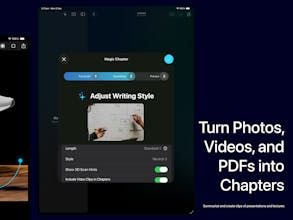
Hi Product Hunt 👋, I’m thrilled to announce Animant 2.0 - an app that let's anyone create immersive, interactive 3D presentations. Traditional slideshows tend to be boring, as they solely consist of text and images. On average, people tend to engage with content better if they can interact with it in realtime. That's the motivation behind Animant - the app combines your existing PDFs, audio, and video clips with 3D models that your audience can spin around and manipulate as you explain it. To get started, simply select your existing media. Animant's AI (Magic Chapter) analyses your media and creates key chapters based on major topics and concepts discussed. Magic Chapter also intelligently trims and arranges your audio and video clips to match each chapter, and it suggests the best places to import 3D models. Animant is designed for everyone - even if you don't have experience making 3D models. With the built-in 3D Scan feature, you can use your pro iPhone or iPad camera system to construct a detailed 3D model of any physical object with photogrammetry. When your model is ready, simply add it alongside your chapter's text. Animant's AI goes even further with Magic Effects. Once you've added your 3D model to a chapter with audio or video, Magic Effects analyses your spoken transcript to add 3D emphasis effects that are time-synced to your discussion. So when you talk about the "right atrium of the heart", your model instantly rotates as you speak. There's plenty of new features in the coming months, such as the ability to view and share Animant stories directly in your web browser, and to restrict access to stories just so they can be viewed by your team. Check out a live demo of these features with Animant's Guides, available from the Story Gallery once you install the app. Some features (such as audio and video support for Magic Chapter and Effects) require iOS or macOS 26, and some features require an account. Thanks for your support, please let me know your thoughts below!
Mohsin Ali ✪

@jonathan_benjamin2 is it smooth when presenting on lower end devices?

Jonathan Benjamin

@mohsinproduct yep! It's fairly smooth on older devices, however some tasks might take a while longer. For example, an iPhone 12 takes longer to process 3D scans and add models to chapters. However, once those background tasks are complete the UI is quite responsive. Rotating 3D models should run close to 60 FPS on most devices.

Asik Aman

@jonathan_benjamin2 Interesting. Any pricing model that you will implement in the near future?

Rajan Rk

Love the direction of turning static slides into dynamic, immersive AI-powered stories with 3D sync, Super slick!

Jonathan Benjamin

@iamrajanrk thanks!

Saksham Goswami

looks great but what stops you from doing it in android? Is it the 3d model part or performance?

Jonathan Benjamin

@webwithsaksham thanks! The current blocker on Android is mainly performance. A chapter can display a 3D model and a video simultaneously, which is quite graphically demanding and doesn't deliver great performance when built with a cross-platform framework. So, Animant is built as a native app. On Apple platforms, Animant uses native Swift frameworks that make use of Metal's GPU optimisations. The goal with a future native Android version is to hopefully achieve the same smoothness as the iOS variant.

Jaber Jaber

i will fire my designer after this tool

Jonathan Benjamin

@jaber23 hahaha, thanks for your support!

Van de Vouchy

Congrats! How do you plan to make Animant’s workflow and feature organization more intuitive for users who already have experience with established 3D or presentation tools, given the current feedback that it feels less clear and familiar than industry standards?

Jonathan Benjamin

@vouchy thanks! Getting the workflow to feel familiar to everyone has been quite a journey. The first iteration of the app (1.x) had quite a steep learning curve for both 3D professionals and everyday users. So with 2.0, the entire UI was reworked to feel closer to existing slideshow software (e.g. Keynote and PowerPoint). For example, a sidebar lets users navigate through presentation chapters, and users can create a presentation from existing media.

Another way to try and bridge the workflow gap is through the new Animant Guides, which are essentially walkthrough tutorials. Each Guide is a complete Animant Story that contain demo chapters that use various app features. When people launch a Guide, they can add their own content in each chapter to get a feel for how Animant can work for them.

As the platform continues to grow, each piece of feedback will be immensely valuable to understand users' needs and ensure that Animant adapts to a wide variety of workflows.

Sohan Patil

Can we interact with the 3D models or just watch them?

Cruise Chen

this is so clever—syncing audio, video, and even 3D models in one presentation..... I always struggle making lessons feel alive, so this could actually make teaching fun again! How smooth is it to add interactive elements?

Jonathan Benjamin

@cruise_chen thanks! The app tries to make adding interaction as intuitive as possible. Once you’ve added a 3D model alongside audio or video, there’ll be a pop-up button on the media that enables you to add rotation or laser pointer effects. All you need to do is rotate the model just how you want it to appear, then select ‘Add Effect at Current Time.’

Then, when people view your presentation and play your media, the effects will appear exactly at the time when you added them.

12
Next
Last