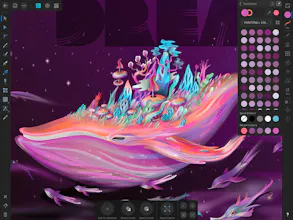
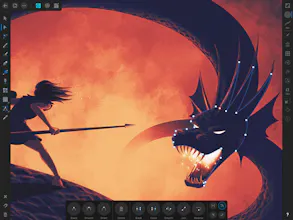
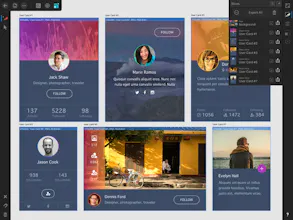
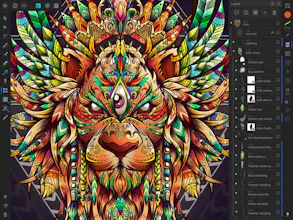
Affinity Designer is the fastest, smoothest, most precise vector graphic design software available for the iPad. Whether you’re working on graphics for marketing materials, websites, icons, UI design or just like creating cool concept art, Affinity Designer will revolutionize how you work.
A decent alternative to Adobe Illustrator for working with vector design, it has everything you need to create quality artwork, especially if you have experience with similar programs. I've tried using it on the iPad with the Apple Pencil - it works great, no lag.
Report
I am a 20 + year Adobe user and they have never been able to do what affinity is doing the desktop apps we are coming to love on a handheld is just incredible. The quality, speed just everything is amazing.
Pros:
Fast desktop app for the iPad
Cons:
Nothing
Report
This is a really good and cool product!
Pros:
Its easy, not expensive and useful
Cons:
nothing
Report
I wanted to love this program but after getting so far, I was unable to use it for my needs. It was easy to use and wasn't another SaaS based app you have to pay monthly for. But when it came time to generate a PSD file, I was not able to use it.
Pros:
Easy to use, fixed price model.
Cons:
PSD export limitations
Report
It is fast, fully featured and just incredible. Then adding in using an Apple Pencil makes it probably the best design tool on the market - and thats coming from a Adobe user that uses Photoshop, Illustrator and XD on a daily basis. I will be switching as time goes on for sure.
@danirogerc It really depends on what you do. 😊 Procreate is amazing but it's a bitmap based tool so you have a fixed pixel canvas you're working with. That means once you draw something, you can't really edit it later. Also you can't scale stuff or down without losing quality. Affinity Designer is mainly vector based tool so any part of the illustration you do can be adjusted later (adjusting shape, changing color, scaling, moving, etc.) and can be theoretically scaled to infinity. I haven't used concepts yet so I can't comment on that.
@danirogerc I think the major advantage of this is going to be interoperability with your desktop workflow. If you have Affinity Designer on desktop which is a great Adobe Illustrator alternative, you can continue where you left off. Or even if you don't have affinity designer, you can export your vector sketches from your iPad in SVG, PDF or any other open format and continue working on it in Illustrator.
Procreate only has raster export IMO and I haven't used concepts
@jacqvon Hi Jacqueline! As a Product Designer, I mainly use Sketch on macOS for UI design as it's a tool made for UI design. I don't have illustration or graphic design skills so that's something to keep in mind. Affinity Designer is great as a replacement for Adobe Illustrator (and better in every single way). I have used Affinity Designer briefly for a bit of icon design work, it's not too bad for that. It's also a great tool for illustrators who want a vector based tool that allows for high fidelity results. But UI design is a pain as the tool wasn't optimized for that. It's made mainly for illustrators and folks who do vector work.
Report
Nice to see it on iPad. I loved the desktop version
I am a 20 + year Adobe user and they have never been able to do what affinity is doing the desktop apps we are coming to love on a handheld is just incredible. The quality, speed just everything is amazing.
Pros:Fast desktop app for the iPad
Cons:Nothing
This is a really good and cool product!
Pros:Its easy, not expensive and useful
Cons:nothing
I wanted to love this program but after getting so far, I was unable to use it for my needs. It was easy to use and wasn't another SaaS based app you have to pay monthly for. But when it came time to generate a PSD file, I was not able to use it.
Pros:Easy to use, fixed price model.
Cons:PSD export limitations
Solodoers
Snupps
Omio
Product Hunt
Snupps