Zumie

Zumie

Screen recordings made beautiful

115 followers

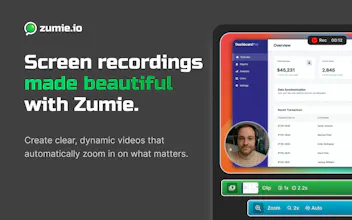
Create stunning screen recordings with automatic zoom, beautiful backgrounds and clean transitions. No editing skills required.
Zumie gallery image
Zumie gallery image
Zumie gallery image
Zumie gallery image
Zumie gallery image
Zumie gallery image
Free Options
Launch tags:Productivity
Launch Team
Anima - Vibe Coding for Product Teams
Build websites and apps with AI that understands design.
Promoted

What do you think? …

Daniel Fulop
Hey ProductHunt, today I'd like to share my passion project with you: Zumie. It's a chrome extension that helps you create beautiful screen recordings with automatic smart zoom to keep your viewer's focus exactly where it should be. The current feature set include: 🎥 Automatic and Manual Zoom - Smart zoom keeps your content clear and engaging, or take control when you need precision. 🎙️ Record Screen, Webcam, and Voice - Capture everything you need in one recording. 🎨 Customizable Style - Add gradient backgrounds, padding, and webcam frames for a professional look. 💡 Click and Keyboard Highlights - Show clicks and key presses for better tutorials. ✂️ Built-in Editing Tools – Trim, cut, or speed up your video without leaving Zumie. With many things coming on the roadmap, like text or blur overlays, saving and sharing projects, teams and many more. ❓How is Zumie different to some of the similar products already on the market? There are already some options out there, and while I think other similar products are great as well, I think there are some points that push Zumie over the edge in terms of UX. When I was using other similar products I was annoyed by a couple things, so I fixed those in Zumie, e.g. - Easy recording, no screen share window popup when capturing only tabs. - Settings are persisted, no need to always reset them for each recording. - Undo/redo/copy/paste for nice editing experience - Fast export due to modern webcodecs - Smarter auto-zoom - Intuitive way to set manual zoom when needed I hope you give Zumie a chance, and definitely let me know if you have any issues, pain points, or something extra you'd like to see.
Chris Hicken

This looks super clean, Daniel you’ve really focused on fixing all those little UX annoyances that most recording tools still have.

Daniel Fulop

@chrishicken Thanks Chris, much appreciated!