Launching today

Takes for Mac
Record talking-head videos. Claude Code does the edit.
90 followers
Record talking-head videos. Claude Code does the edit.
90 followers
A free, open-source Mac app for talking-head videos. A teleprompter that follows your voice, one-button recording of camera and screen, and every take in plain folders. Claude Code, on your own Claude plan, cuts the edit, makes the vertical version and drafts the posts. Leave notes on the frame; it turns them into rules and remembers them.




Free
Launch Team / Built With


Dropbox SignSimple, secure eSignatures for the way your team works.
Promoted
Hey Product Hunt, I'm Marvin.
I used to love making videos, but every session started with ten minutes of OBS settings and ended with an hour in an editor. So on Sept 27 I started building Takes for myself, with Claude Code. Every video I've made since was recorded and edited in it.
Three parts:
- Record: one button records camera and screen together. A teleprompter next to the lens follows your voice. Every take lands in a plain folder next to its script.
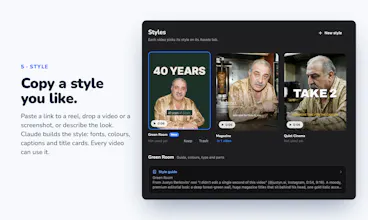
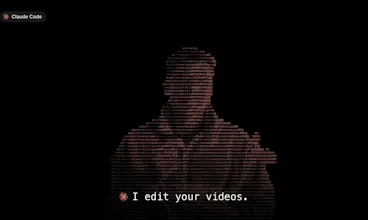
- Edit: no timeline. Claude Code, on your own Claude plan, cuts silences, ums and restarts, makes the 9:16 version, adds captions in your style and drafts the posts. You leave notes on the frame ("too fast here") and it makes a new version. Old versions stay.
- Remember: notes that matter beyond one video become rules Claude reads before the next edit. About 320 notes so far turned into 88 rules, so I rarely give the same note twice.
It's free, MIT, no account, and your files stay on your Mac. It needs Apple silicon, macOS 15 and a paid Claude plan for the editing.
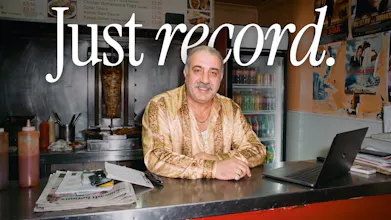
Mehmet in the screenshots is a demo. Your shop, desk or kitchen works too.
What should it do next?
What level of control is available ?
@phrishikesh Good q! As much as you want. You can just say "cut my last take" and accept it. Or go fine-grained: leave a note on an exact frame or time range ("start here", "crop tighter"), keep or drop any version, and edit the rules it follows. The files are plain folders, so you can also open any take in your own editor. What kind of control were you after?
I am doing my first video from the demo project, the 60-sec recording cut to 37 seconds, and took like an hour to process - is that usually how it works or will it get better with every new project?
Kudos on the release, this is something I was actually looking for!
@wealthyminds love this! thanks so much for giving it a try and for the feedback! yeah rendering will take some time depending on your machine. I am lucky with a pretty beefed up mac but will def work on making this faster for all users. what will get faster with every project is getting claude understanding your taste and getting to the right edit faster through the feedback loop that's built in
Does it export the cut as an XML so I can open it in Resolve or Premiere and finish it there?
@adamvisu That is a great idea. Not yet. Today every cut is an ffmpeg render plus a recipe file (the cut list as JSON) next to each version. Would you finish in Resolve or Premiere? My goal was to avoid actual video editors in the first place so I didn't go there yet 😅
Marvin, keeping the old edit versions while you give notes on a new cut is a useful detail. Much easier to decide whether a change helped when you can go back to the earlier one. Congrats on the launch!
@oleksii_sekundant Thanks! That came from my own pain: I kept "fixing" a cut and making it worse. Now v3 never overwrites v2, so going back is one click. The feedback loop is the cherry on top
Happy launch day! Congrats on Takes for Mac. Nice to be launching alongside you today. We're launching Benson too: https://www.producthunt.com/products/benson-2. Would appreciate a comment or some support if you've got time. Hope the day goes well!
@dougsilkstone1 For sure!
interesting product
@madalina_barbu Thank you so much Madalina! Would love to get your feedback if you happen to give it a try! It's been honestly a lot of fun building and working with it for me