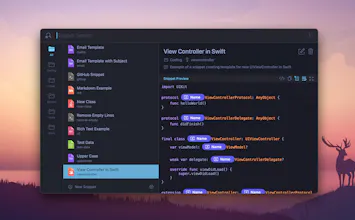
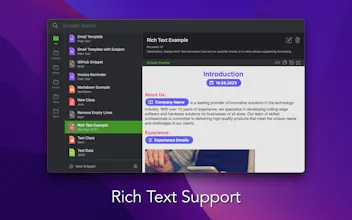
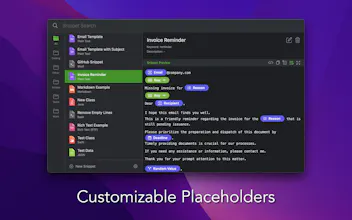
Snippety is a powerful tool that can boost your everyday tasks. It works flawlessly in every app and text field! Just press ⌘⇧Space, find your snippet, and hit ↩︎. Customize your snippets with smart placeholders & automation. Use built-in expander to type even faster. Tweak and build your snippets database to make your daily workflows smooth.
The app is available on macOS and iOS. Can be purchased via App Store or directly on the website.
This is the 2nd launch from Snippety. View more
Snippety
Launching today
Snippety is a powerful tool that can boost your everyday tasks. It works flawlessly in every app and text field! Just press ⌘⇧Space, find your snippet, and hit ↩︎. Customize your snippets with smart placeholders & automation. Use built-in expander to type even faster. Tweak and build your snippets database to make your daily workflows smooth.
The app is available on macOS and iOS. Can be purchased via App Store or directly on the website.


Free Options
Launch Team / Built With


Snippety
Thank you for checking out my product! 🚀
I started this project back in 2020 as a solo developer and have been building it ever since. Over the years, I've listened closely to your feedback, emails, and feature requests - and I've worked hard to bring your best ideas to life. Thanks to your support, I believe we've built a great tool together. I hope Snippety makes your daily workflows even smoother and speeds up your repetitive typing! 🎊 Feel free to share your thoughts and ideas!
Does Snippety sync snippets between macOS and iOS automatically, or do I need to manage that manually across devices?
Snippety
@sezerklaiptebx Yes, Snippety syncs automatically between macOS, iOS, and iOS keyboard - all via your personal iCloud.
It also supports iCloud collaboration to sync selected snippets with others. Here you can find demo videos showing the synchronization process:
https://snippety.app/help/macos/sync/icloud-synchronization