
RSTGameTranslation
Real-time screen translator for any game
90 followers
Real-time screen translator for any game
90 followers
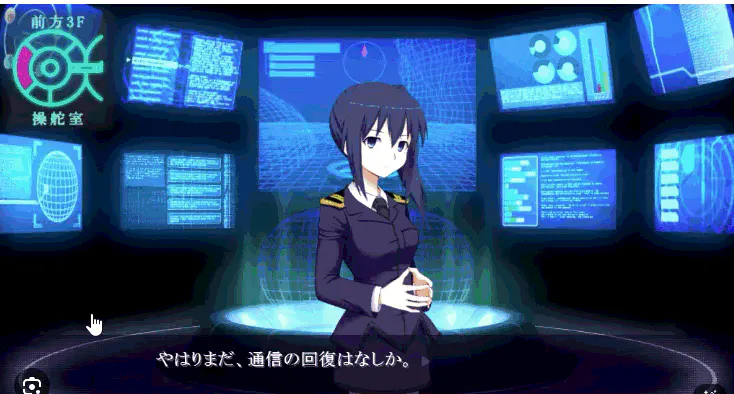
RSTGameTranslation is an open-source tool that helps gamers play titles without localization. It captures text from the game screen in real-time, performs OCR, and translates it (Using AI for translation) into your desired language instantly. Perfect for playing Japanese or Chinese exclusive


Free
Launch Team / Built With


Floot MCPBuild and ship web and mobile apps inside Claude or ChatGPT
Promoted
RSTGameTranslation
Hi Product Hunt community! 👋
I'm Thanh, the maker of RSTGameTranslation.
As a gamer, I've always been frustrated when I couldn't play amazing games just because of the language barrier (especially Japanese/Chinese exclusives). I wanted a tool that was fast, lightweight, and free. That's why I built RST.
🚀 Key Features:
🎮 Screen Translation: Captures text from your game screen and overlays the translation instantly.
🎙️ Speech-to-Text: Supports voice input for quick translation.
🗣️ Text-to-Speech: Reads the translated text aloud for better immersion.
💻 Open Source: I believe in community-driven tools, so the project is fully open-source on GitHub.
I'd love to hear your feedback on the translation speed and UI. Let me know which features you'd like to see next!
Happy gaming! 🕹️
@thanhkeke97 Love this, it solves a real pain that a lot of gamers quietly live with.
Screen-level translation with an overlay is exactly the right approach for games that don’t expose text or modding hooks, and keeping it fast + lightweight matters way more than fancy UI here. The fact that it’s open source is a huge trust win too.
A couple thoughts that could be interesting long-term:
Per-game language profiles (so font size, placement, and translation behavior are remembered)
Hotkey-based “translate on demand” vs always-on modes
Community translation model tuning for niche games or slang-heavy RPGs
Curious to try it on JP-only indie titles, excited to see where the community takes this
RSTGameTranslation
@fernando_scharnick Thank you, all the features you mentioned are already in the software. You can find the game profile feature in Settings > Game Profile. The application allows you to customize the prompt to suit the requirements of each game type, and it also lets you turn off real-time translation and enable translation only when a hotkey is clicked. And I have a Discord channel to support you if you have any problems.
@thanhkeke97 thank you!!
RSTGameTranslation
@jalcantara Thank you very much. If you have any problems or need help using the software, please message me.
RSTGameTranslation
@jalcantara This software also includes text-to-speech and speech-to-text features, which will likely be helpful for people with disabilities.
Wow, RSTGameTranslation is amazing! Real-time translation for import games is a dream come true. Does the OCR handle stylized fonts well, like in visual novels? Super curious!
RSTGameTranslation
@jaydev13 I have integrated various types of OCR, so it can handle them well.