
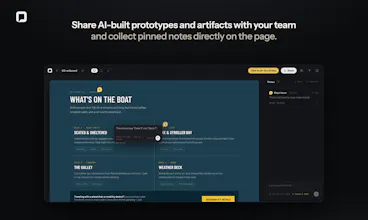
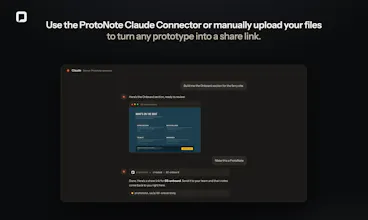
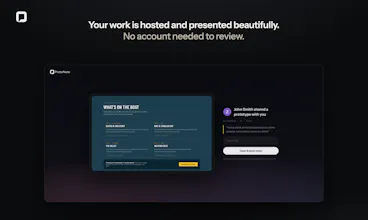
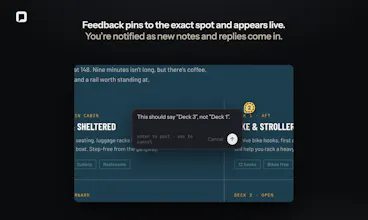
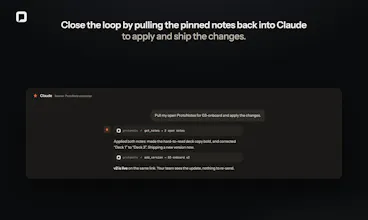
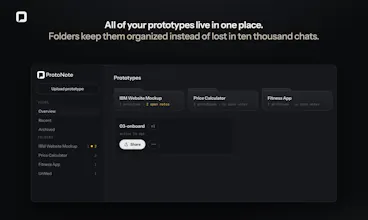
Drop in an HTML prototype, image, or PDF and get a shareable link. Reviewers leave notes pinned to the exact spot on the page. No account required, just a name. Use the Claude connector to turn anything you build into a ProtoNote right inside the chat. When notes come in, tell Claude to pull them in and apply the changes. The new version publishes itself. Free tier includes 3 active prototypes with unlimited reviewers and notes. Reviewing is always free.
Free Options
Launch Team / Built With


Dropbox SignSimple, secure eSignatures for the way your team works.
Promoted

 Figma
Figma
As a Product Owners moving from Figma to Claude Code and constantly looking for feedbacks from stakeholders and testing users, this is life saver for me!
@dct_iz_dct Figma to Claude Code is one of the shifts that made me build this. If you’re already in Claude Code, you should try out the connector so you can publish and pull notes back without leaving the terminal. Would love to hear how it goes with your testers!
The scattered screenshots and vague "fine by me" replies have quietly worn me down for years, so feedback that lands right on the spot it's about feels so much saner. Nice work, @zach_friesen.
@jean_noel_escande You and me both. Appreciate it Jean-Noël!
The feedback loop between building and improving prototypes is usually the painful part. Making comments more contextual and connecting them directly with AI workflows feels like a smart way to speed things up.
@better_shaya Yeah, the loop is the whole problem. Feedback that isn’t attached to a specific spot on the page turns into a translation job, where you’re reading “the button feels off” and guessing which button. Pinning it means the note arrives with its own context, and once Claude can read those notes directly there’s no re-typing step at all. That last part is the piece I’m most curious to see people use.