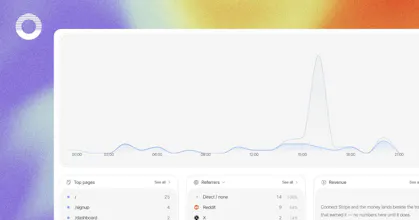
Open Analytics is an open-source, privacy-first alternative to Google Analytics, built for humans and AI agents. Track real-time visitors, funnels, and revenue with one lightweight, cookieless script. Connect your analytics to AI tools via MCP. GDPR-friendly with no consent banner, and self-hostable.
Hey Product Hunt 👋
We’re the team behind Open Analytics.
We built it because we kept hitting the same wall: every analytics tool made us choose between knowing our numbers and respecting the people behind them.
Google Analytics gave us the numbers, but often came with complexity and consent banners. Many privacy-first tools removed the banner, but stopped at pageview counts. We wanted the best of both worlds.
Open Analytics is cookieless by design. Visitor identity is represented by a salted hash that rotates at midnight, raw IP addresses are never stored, and no cross-site profile is created. The result is useful analytics without persistent tracking.
Here’s what we’re most proud of:
• Privacy that’s enforced, not just promised. Global Privacy Control is honored by the collector server-side. Even if the snippet is configured to ignore it, those requests are dropped before they’re counted.
• Revenue attribution where the visit happened. Connect Stripe and each payment appears alongside the visit that generated it, showing which pages, channels, and referrers drive revenue.
• Analytics you can ask questions about. Use AI Chat inside the dashboard or connect through our MCP server to explore your traffic in plain English.
• Custom events without custom JavaScript. Add data-oa-event="signup" to a button and Open Analytics tracks it.
Open Analytics is open source under AGPL and fully self-hostable. If you’d rather not run it yourself, our hosted version starts at $9/month. Every plan includes every feature—you pay for volume, never for access.
We’d love your feedback.
@yashekbote thanks, Yash! we believe that analytics data is sensitive and that users should be able to view the source code if they wish. also, users can retain ownership of their data on their own servers.
@uaghazade The identity hash rotating at midnight is the honest way to do it, but it also means someone who comes back tomorrow looks like a brand new person, right? How do you handle funnels that take a few days, like ad click on Monday and purchase on Thursday? That's the report I always get asked for haha.
@yelyzaveta_kibets yes, that's the trade, and it's deliberate: anonymous ids rotate at UTC midnight, so we never track a cookieless visitor across days.
for your Monday-to-Thursday report: if your users log in, call identify(external_id) from the tracker. that hash is stable (still cookieless), and attribution then uses its full 30 day window, so the ad click and the purchase connect. purchases also get matched through order signals on the payment side, which often stitches the journey even without identify.
Either way the report shows which identity scope it was computed under, so it never claims a journey the data can't support.
@uaghazade The report labeling which identity scope it ran under is the detail that sells it, most tools would just pretend the gap isn't there. And identify() for logged-in users covers exactly my Monday-to-Thursday case, thanks for walking me through it.
Report
My dashboard told me a subscriber had churned. Turned out to be my own test account, I refunded it myself and the rollup had no way to know those were the same person.
And the counting was all correct. The mistake was one layer up, in what I'd told it counted as a person, so no query would have caught it.
So with the chat window and the MCP server sitting on top, does it show you the query it ran?
@andrew_f3 The model never writes a query. Each MCP tool is a fixed, named read (site_overview, revenue_summary and so on) whose SQL is a constant on our side; the model only picks the tool and fills in parameters like the date range, and your chat client shows every call with those parameters. So what you audit is which read it chose, never hand-written SQL that could quietly redefine what a person is.
The layer above is pinned too, and it is yours: identity is only what you declare through identify(), scoped to your site, and answers that depend on it carry that scope with them rather than assuming it. On the revenue side there is no synthetic churn number to be fooled by: gross, refunds, disputes and fees stay printed as separate parts, so a refund you issued to yourself shows up as exactly that, a refund.
And for the front half of your story, the ignore flag keeps your own browser's visits out of the traffic numbers.
Report
💎 Pixel perfection
Love that you made analytics both cookieless and MCP-ready, giving me real insights without a consent banner while letting my AI tools actually query the data.
Sleek Analytics
@uaghazade awesome!
What pushed you to self-host + AGPL instead of just going full SaaS?
Sleek Analytics
@yashekbote thanks, Yash! we believe that analytics data is sensitive and that users should be able to view the source code if they wish. also, users can retain ownership of their data on their own servers.
Softorino 💻📲
@uaghazade The identity hash rotating at midnight is the honest way to do it, but it also means someone who comes back tomorrow looks like a brand new person, right? How do you handle funnels that take a few days, like ad click on Monday and purchase on Thursday? That's the report I always get asked for haha.
Sleek Analytics
@yelyzaveta_kibets yes, that's the trade, and it's deliberate: anonymous ids rotate at UTC midnight, so we never track a cookieless visitor across days.
for your Monday-to-Thursday report: if your users log in, call identify(external_id) from the tracker. that hash is stable (still cookieless), and attribution then uses its full 30 day window, so the ad click and the purchase connect. purchases also get matched through order signals on the payment side, which often stitches the journey even without identify.
Either way the report shows which identity scope it was computed under, so it never claims a journey the data can't support.
Softorino 💻📲
@uaghazade The report labeling which identity scope it ran under is the detail that sells it, most tools would just pretend the gap isn't there. And identify() for logged-in users covers exactly my Monday-to-Thursday case, thanks for walking me through it.
Sleek Analytics
@yelyzaveta_kibets Anytime, Lisa! That's exactly the report the 30-day window is for. Come back and tell me how that Monday-to-Thursday report reads.
Softorino 💻📲
@uaghazade The report labeling which identity scope it ran under is the detail that sells it, most tools would just pretend the gap isn't there. And identify() for logged-in users covers exactly my Monday-to-Thursday case, thanks for walking me through it.
My dashboard told me a subscriber had churned. Turned out to be my own test account, I refunded it myself and the rollup had no way to know those were the same person.
And the counting was all correct. The mistake was one layer up, in what I'd told it counted as a person, so no query would have caught it.
So with the chat window and the MCP server sitting on top, does it show you the query it ran?
Sleek Analytics
@andrew_f3 The model never writes a query. Each MCP tool is a fixed, named read (site_overview, revenue_summary and so on) whose SQL is a constant on our side; the model only picks the tool and fills in parameters like the date range, and your chat client shows every call with those parameters. So what you audit is which read it chose, never hand-written SQL that could quietly redefine what a person is.
The layer above is pinned too, and it is yours: identity is only what you declare through identify(), scoped to your site, and answers that depend on it carry that scope with them rather than assuming it. On the revenue side there is no synthetic churn number to be fooled by: gross, refunds, disputes and fees stay printed as separate parts, so a refund you issued to yourself shows up as exactly that, a refund.
And for the front half of your story, the ignore flag keeps your own browser's visits out of the traffic numbers.
Love that you made analytics both cookieless and MCP-ready, giving me real insights without a consent banner while letting my AI tools actually query the data.
Sleek Analytics
@ilko_kacharov thank you a lot Ilko, for that kind of words!
Netlify
Building an open-source, AI-native alternative to Google Analytics is such a great move. Congrats on bringing this to life!
Sleek Analytics
@thisiskp_ thank you very much for the name of our team. it's a pleasure to hear this from you!