
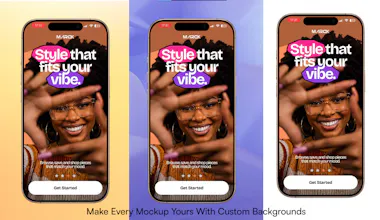
Transform ordinary screen recordings into beautiful product mockups in seconds. Add realistic device frames, motion presets, ambient backgrounds and custom canvases directly in your browser. No uploads. No account required. Free to use.




What's great
MockupReel stands out because everything runs directly in the browser. No downloads or setup needed. The fact that you can export in up to 4K for free is amazing. It's packed with features, easy to use, and doesn't feel limited like most free tools.
What needs improvement
I'd love to see more keyboard shortcuts. I'm a big shortcut person, so having more of them would make creating mockups even faster.
vs Alternatives
I also tried Shot.so, but I kept coming back to MockupReel. It's free, supports 4K exports, and gives me more control over customizing my mockups. It simply offers more without asking you to pay.
Ratings
Ease of use
Reliability
Value for money
Customization
Report
6 views
Thank you for your feedback!
Expect more shortcuts in a future release for a faster workflow 😉
Report
What's great
MockupReel helps me create polished product demo videos in minutes without needing After Effects. As a product designer, I value simple tools that save time while producing high-quality results. The local processing and 4K exports are a big plus.
What needs improvement
Increase the video length
Export GIFs and animated screenshots in addition to videos.
vs Alternatives
I chose MockupReel because it's free, lets me add my own logo, and has an intuitive interface that I could use immediately without watching a tutorial. It delivers professional results with very little learning curve.
Ratings
Ease of use
Reliability
Value for money
Customization
Report
3 viewsWhat's great
Helps preview my designs as close to real life as possible, without a watermark. Highly recommended
Ratings
Ease of use
Reliability
Value for money
Customization
Report
1 view
The browser-based editor is surprisingly snappy and the motion presets actually make a boring screen recording look like a real product shot. Big fan that nothing gets uploaded to a server.
@birsenu6d2 Thanks so much! I'm really glad you noticed both of those. A fast, responsive editor and local, privacy-first processing have been core goals from the start. It's great to hear the motion presets helped elevate the final presentation. Thanks for the support!