Launched this week
Docs Squirrel

Docs Squirrel

Stop worrying about writing documentations

2 followers

Docs Squirrel is an AI agent that writes and manage your codebase documentation for you so you don't have to worry
Interactive
Docs Squirrel gallery image
Payment Required
Launch Team / Built With
Intercom
Intercom
Startups get 90% off Intercom + 1 year of Fin AI Agent free
Promoted

What do you think? …

Docs Squirrel
Maker
📌
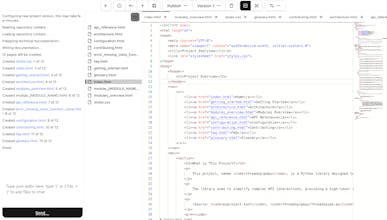
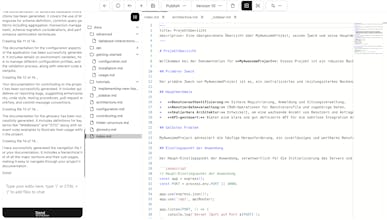
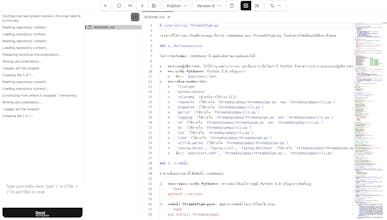
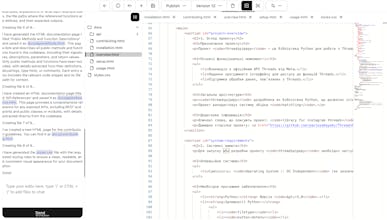
Docs Squirrel is an AI agent that writes documentation for codebase of any size and built with any programming language and framework. How it works You choose the repository containing your project codebase, then the kind of documentation you want to generate (technical, onboarding, structural, in-file comment) and then select the output template (single-page markdown, multi-page markdown, Docusaurus, HTML, MkDocs, or Docsify), then it will generate the documentation for you in minutes and in the spoken language or your choice. Additionally, you can also create new versions for the same codebase, for example you can decide to create an in-file comment as the first version, then generate a technical documentation as the second version, and then create another technical documentation versions in Japanese, Korean, Greek, Yoruba and Chinese language. With Docs Squirrel you don't need to worry about documenting your codebase anymore, instead focus on shipping new features while Docs Squirrel writes and manage your codebase documentation for you. Do you need to include a README in your codebase so Docs Squirrel can understand it? No, Docs Squirrel is an AI agent and it uses RAG to read and understand your codebase. It will understand your codebase even if your codebase is messy with unclear variable namings. What kind of Documentation can I generate? Currently you can generate the following: 1. Technical documentation: Developer usage documentation and it is good for libraries, frameworks and SDKs. 2. Onboarding documentation: The documentation for new employees, to let them quickly get familiar with the codebase. 3, Structural documentation: Directory strucuture, function and class definitions. 4. In-file comment: Unlike the other documentation types, this adds inline comments to all the code files in your codebase while leaving your code and existing comments untouched. What documentation templates can I choose from? Currently Docs Squirrel supports generating in the following templates and frameworks: 1. Single-page markdown 2. Multi-page markdown 3. Docusaurus 4. HTML (Multi-page) 5. MkDocs 6. Docsify Can I download the documentation? Yes, you can download the documentation as ZIP, TAR and TAR.GZ, additionally, you can publish it to a new or existing GitHub repository Generate documentation for your company’s codebase now!