DockBuddy Organizer

DockBuddy Organizer

Drag & Drop, Organize Photos & Video Assets in Seconds.

77 followers

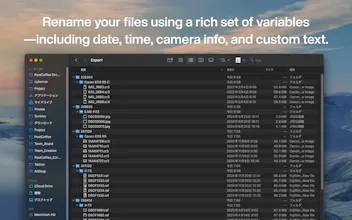
Tons of RAW files, video footage, and audio data. Are you spending too much time organizing after shooting? With DockBuddy Organizer, just drag & drop files onto the Dock icon, and they'll be automatically organized and sorted based on EXIF information and file types.
DockBuddy Organizer gallery image
Free Options
Launch tags:Macβ€’Photographyβ€’Video
Launch Team / Built With
Intercom
Intercom
Startups get 90% off Intercom + 1 year of Fin AI Agent free
Promoted

What do you think? …

cybermam
I built DockBuddy Organizer to remove the repetitive overhead that happens after every shoot β€” sorting, filtering, renaming, and organizing files before you can even start editing. I wanted a workflow where I could drag files directly from an SD card, drop them into one place, and have everything organized instantly. Most tools were too slow, too rigid, or not designed for creators who process hundreds of files at once. So I focused on four core ideas: Simple drag-and-drop UI β€” import media directly from an SD card and process everything in one action Advanced file-naming rules β€” build complex, customizable naming patterns that fit any workflow One-click post-shoot automation β€” eliminate repetitive steps like filtering, sorting, and restructuring folders Fine-grained control β€” exclude JPGs, separate RAWs, group by date, camera model, or any specific need Throughout development, I collaborated with photographers and videographers to ensure the tool remains intuitive for beginners but flexible enough for professionals with detailed workflows. If you try it, I’d love to hear what would make your post-shoot process even smoother. Your feedback will guide the next improvements.
Esther George
This sounds like a dream for workflow efficiency! 😍 Does DockBuddy let you preview how files will be organized before applying the automation, or does it sort everything immediately once dropped? Congratulations πŸŽ‰πŸŽ‰and I loveee the idea. (I'm dropping a review based on the description, because it's not compatible with my device)
cybermam

@george_estherΒ Thanks, Esther!

Right now DockBuddy sorts everything immediately after the drop β€” the goal was to remove as many steps as possible so you get a clean, structured folder output instantly.

That said, a preview mode is one of the most requested enhancements, especially from users who want to verify naming rules or folder structures before running automation. I’m exploring a lightweight preview that doesn’t slow down the workflow but gives more visibility into what will happen.

Thank you for taking the time to leave a review even without being able to run the app on your device. Really appreciate it.

Viktor Shumylo

Congrats on the launch! Love how it stays simple for beginners while still giving pros all the granular control they need. What’s the next automation or rule type you’re thinking about adding?

cybermam

@vik_shΒ Thanks, Viktor! One of the next features I’m exploring is conditional rules β€” for example, applying a specific naming pattern only when a certain camera model is detected, and using a different rule for everything else.
It gives power users more control without adding complexity for beginners.

If there’s a particular condition you think would be especially useful, I’d love to hear it.

lΓ©a

Congrats on shipping! This actually solves a real pain point. The drag & drop demo is super neat!!

Quick note though: your hero headline is a bit long for the first 3 seconds of attention. Something punchier like "Organize 1000+ photos in seconds" with the drag & drop visual right away could hook people faster! I work on LP conversion for SaaS and apps like yours if you ever want feedback on structure.

Great execution overall and good luck with your project!

cybermam

@leasdsgnΒ Thanks so much, LΓ©a β€” really appreciate the feedback! I’ll take this into account as I refine the page.