
Doccupine
Open source AI-ready documentation platform.
82 followers
Open source AI-ready documentation platform.
82 followers
Open source CLI turns your Markdown or MDX files into beautiful documentation. Bring your own AI model plus MCP support. Our hosted platform includes a visual editor, pending changes, custom domains, and team collaboration.


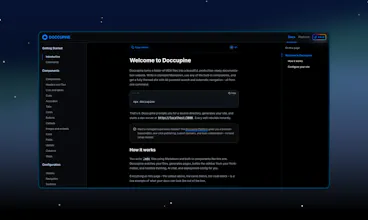


Doccupine
Hi Product Hunt! I'm Luan, one of the founders here at Doccupine.
I've always struggled to find solid documentation tooling. Most solutions are too expensive or too complex. If that's not the case, they're locking you in with proprietary tech. None of them let you bring your own AI model or integrate your docs directly into AI development workflows.
Doccupine is an open source CLI (npx doccupine). It turns Markdown and MDX files into a complete documentation website. You can self host it on your server for free. You can also bring your own AI model. To start, we have 12+ popular models from OpenAI, Anthropic, and Google (and we will be adding more). Plug in your API keys and go. Doccupine also comes with an MCP server out of the box.
We're monetizing through our managed platform. It's for teams who want user roles and permissions, easy front-end editing, managed AI with transparent budget caps (you can also still bring your own AI model), zero-config deploys, and automatic updates. We're bootstrapped. Two founders, no VC. We answer every support email.
We'd love your feedback. What would make Doccupine useful for you?
@luangjokaj Really like the idea behind Doccupine especially how it simplifies turning Markdown into a full documentation site.
One thing I found myself wondering while exploring: the experience seems to start directly from setup (CLI, Node, etc.), which might make it a bit harder for someone new to immediately grasp what they’ll get on the other side.
How do first-time users typically move from landing on the site to actually trying it out?
Doccupine
@chi_78 The quickest way to see what you'll get before running anything: docs.doccupine.com is itself built with Doccupine, so that's a live demo of the output.
@luangjokaj Ah, that makes sense! Having the docs site itself as a live demo is smart.
Quick follow-up: Do most first-time users actually discover that live demo, or do they hit the setup instructions first and bounce before finding it?
Just curious what you're seeing.
Doccupine
@chi_78 the docs are actually the natural starting point, you need to read them to understand how Doccupine works, so the live demo and the onboarding are the same thing.
From there, when you run `npx doccupine` for the first time, you get starter templates out of the box that are built the same way as the docs site. So you're not starting from a blank slate, you can immediately see how a real docs structure is put together and start from there.
Congrats on the launch! 🎉
The MCP support is what really caught my attention — most documentation tools treat AI as an afterthought, but baking it in from the CLI level is a smart architectural decision.
Quick question: how does Doccupine handle versioning for docs? For example, if I'm documenting a web tool that ships updates frequently, can I maintain v1 and v2 docs side by side without duplicating everything?
The Markdown → beautiful docs pipeline looks really clean.
Upvoted and following to see where this goes! 🚀
Doccupine
@yagnesh_hihoriya Thanks for the kind words and the upvote!
For versioning, the recommended approach is to use Sections. You can structure v1 and v2 as separate sections within the same project, keeping them side by side without duplicating your setup.
Glad the MCP architecture stood out, it was a deliberate decision from day one. Docs that can talk to your dev tooling directly just makes sense.
Doccupine
@hex_miller_bakewell Fair point on the examples, and actually docs.doccupine.com is itself built with Doccupine, so that's a live before/after right there. Each page has a View/Code toggle so you can see the raw MDX behind it in plain text.
But I'd push back a little on the framing: pretty docs isn't really the pitch. Plenty of tools do that. What makes Doccupine different is the MCP server baked in from the CLI level, AI integration with no vendor lock-in (bring your own model, your own API keys), and a workflow that fits how developers already work. The docs are just the output, the value is in how they connect to your tooling.
@luangjokaj fantastic - I would suggest making that offering clearer in your messaging, otherwise people like me will get the wrong idea about Doccupine.
Great launch, @luangjokaj. Open source doc tool with MCP support. That's something I don't see every single day.
I spent about 10 minutes going through the site. One thing caught my attention. You're leading hard with AI features. 12 models. Bring your own. MCP server. All good things. But here's the thing. Devs are tired of AI being the main character in every product. The part that got me excited was "npx doccupine" and done. That's the dream. No setup. No config.
Also looked at your pricing. $200/month for Pro with one project. Compared to self-hosting for free, I'm not sure what I'm paying for. AI-Powered Documentation Assistant sounds nice but what does it actually do? If it's just plugging in my API key, that's a tough sell.
Curious how you're thinking about this. Either way, cool to see someone building in the open.
TestMu AI
How does it compare to @Documentation.AI?
Doccupine
@syed_shayanur_rahman Doccupine is open source and developer-first (MDX/Git workflow, self-hostable, BYO AI model).