
ClarifierAI keyboard for iPhone makes your words clearer and translates across 113 languages in any app. Available on iOS. Just a keyboard that activates when you need it. Works in Gmail, LinkedIn, iMessage, WhatsApp, Slack and more ⚡️
Interactive


Free Options
Launch Team / Built With


Viktor.comAn AI coworker that actually does the work
Promoted


 Grammarly
 Translate Now
 Fontfy: Smart AI Keyboard
 SwiftKey for iOS
Hello, Product Hunt 🙌🏻
I’m Daniil, I work as a software engineer with passion to create product that will be genuinely saving people’s time everyday. Today I’m happy to introduce ClarifierAI, an app that was born from my own needs.
🧩 Product Story
I found myself constantly switching between AI apps just to refine or translate my messages or posts. Sometimes before sending message to someone, I was double checking with AI if message sound polite or clear enough. I was that so much, and eventually I created separate workflows for each task to save some extra time and not explain AI every time what it want him to do with my text. But the copy-pasting between apps was still very slow, and I wanted to save even more extra time, so I combined those workflows into one simple IOS keyboard extension, and now it saves me a lot of time.
I immediately got 250+ beta testers from Reddit, talked to them, and used their feedback to iterate on the countless edge cases, so today I can finally share a polished product with you.
📱 What is ClarifierAI?
It’s an IOS custom keyboard that improves, translates and changes tones for your text in any app, enabling you to seamlessly utilize AI and save a lot of time. This app respects your privacy and common used keyboard, switch to ClarifierAI only when you need to work on your text. My ICP is professionals and anyone writing in a language that isn’t their own. It supports 113 languages so far.
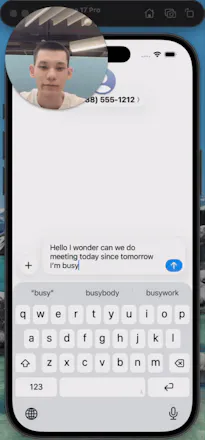
🎥 Demo here:
🔑 Key Features
This app can improve, change tone, translate to 113 languages, preserve your tone by choosing what suggested changes to leave, you can tap on any change to undo it. It also has AI powered voice dictation and instant translation from any language to English, this feature is going to have more updates to support more languages. Use Analytics tab to see how much time app saved you, it counts using real algorithm. And last but not least, choose your favorite app icon that was made with love by human.
💡 How I Personally Use It
1. When I need to make the right impression, I double-check my text before sending
2. When my message doesn't sound polite enough, I run it through Polite mode
3. When texting in a foreign language, I type in my native language and instantly translate
📊 Early Traction
Beta version: 250 beta testers with 97.7% retention.
Production: 486 users, $474 revenue, 3.09 % install->paid, $0 ad spend.
🎁 Launch Offer
For the Product Hunt community — Lifetime plan from $79.99 → $49.99 (37.5% off).
Redeem here: https://apps.apple.com/redeem?ctx=offercodes&id=6755627408&code=PRODUCTHUNT50
💰 Pricing
Monthly 4.99$
Yearly 29.99$
🙏 Your Feedback
I’d love your honest feedback, what works for you, what doesn’t, what you’d want to see next. Ask me any questions, technical or personal, I would be happy to answer all of them!
Find me on X: @dddanicloud
Best, Daniil
dan_pak I’ve known Dan for a month now, and he’s incredibly dedicated to building simple solutions that make everyday life easier. He reached out for ClarifierAI a while back, and what really stands out is how open to feedback he is. I even wanted to hunt his product earlier but couldn’t because of time constraints.
I’m really happy to see him on the leaderboard today, and he has my support. The only feature request I’d have is something like custom instructions for changing the message, so it can write in a more personally specified style. Other than that, I absolutely love it.
This really fills the gap that many AI dictation/translation apps still have. All the best!
@rohanrecommends Thanks for the kind words Rohan, Your advices genuinely shaped the launch and the app, really appreciate your support!
Congrats on the launch @dan_pak !
The voice-to-text feature is where this really shines for me. I used to juggle between Willow and Wispr Flow. With ClarifierAI I just talk in German, switch mid-thought to English, and it handles it seamlessly. That alone replaced two apps for me.
Few questions:
Any plans for custom tone presets? Like saving a “professional email” tone vs. a “casual” tone so I don’t have to adjust every time?
Would love to see some kind of personal dictionary or style memory over time — so it learns that I want to write “color” not “colour”, or “Grüsse” instead of “Grüße”, for example. Anything like that planned?
This has real potential to become the default writing layer on iOS. Rooting for you — keep building!
@donatius Hello Donat, thank you for big compliment, i am glad that you like voice feature, regarding custom tone presets, absolutely i have that already in roadmap, it will be released within a week.
And for the personal dictionary and memory, this is a great proposal, i believe a lot of users will find it usefull as well, looking forward to find out the ways to implement it!
@donatius Thank you very much for your interest!
Hey Dani, congrats on the launch. I really feel like this is shaping up to be the ultimate transcription app for iOS. My main goal lately has been to stop typing completely and just use voice dictation. I've already found my favorite app on Mac, and 90% of what I write now is by voice.
I barely touch my keyboard anymore. I really want to do the same on my iPhone, but I hadn't found anything truly effective until now.
I have been using clarifier.ai for a few days, and there is a feature that I find lacking. It could be interesting to add a dedicated line for punctuation just below the "Improve," "Translate," "Clarify," and other buttons. When using the text-to-speech feature, some punctuation is sometimes missing, and this would allow for quick additions.
I think It would also be helpful to have a "Delete" button to quickly remove a word in case of an error, without having to return to the standard keyboard.
I also have a quick feature suggestion regarding translations. Right now, it seems to default to a single direction based on the input. It would be incredibly smooth if we could pre-select our favorite target languages in the app settings, and then simply long-press the "Translate" button on the keyboard to bring up a quick popup list. You’d just hold, slide to the language you want (like switching to Portuguese on the fly), and release to apply. I think that would make the UX so much better!
Great job on the release.
@emm_gr Hi Emm, this is an amazing feedback, i really appreciate it, i strongly look forward to improve voice-to-text features, voice translations, so i hope to deliver kind of app that will fulfill your needs on Iphone.
Regarding choosing languages on fly, thats a great proposal, i got a lot of requests for that one, so i believe it will be available in the next update.
Thank you for visualization of how you see the app, i appreciate you taking time to create it
@new_user___0392026c5a6ddc5ba8ed51b Hi Alissa, thank you for your compliment, i am glad that app actually saved you that much time, using app for navigating Chinese markets - is something that i wasnt expecting someone to use that way, that's cool.
I am strongly encouraged to create ClarifierAI for MacOS with flexible text formatting and voice-to-text features, please join our wishlist on our landing page!
@dan_pak k
waiting for this feature
and for voice dictation as well)
Custom keyboards are one of the most underrated hard problems on iOS, App Extensions, memory limits, the whole "Full Access" trust dance with users. Nicely done shipping this. Quick one: are you running the model fully on-device, or is this a hybrid with a server hop for heavier rewrites? The latency tradeoff there is brutal and I'm curious how you landed.
@linoy_bar_gal Thank you for the great question! Custom keyboard are indeed very complicated, i appreciate you noticing it. App relies fully on server, since local model would not be able to support 100+ languages and they are only available on IOS 26+. But i consider adding ability to download local model like Gemma for users who want to use ClarifierAI for free
Hi, Daniil.
Writing a little faster in your native language can get you out of context a little bit. Longer writing makes the brand name simple, but the
'ClarifierAl' keyboard is pretty organized. I have to look at other foreign languages, but I think the English translation level of 'ClarifierAl' is higher than I thought!
However, when I ran the Al keyboard after writing, I didn't select the conditions, but automatically applying them right away makes me feel a little tired. I hope the option will be added to not only apply it right away, but also to allow you to manually choose from the conditions.
Thank you for introducing me to a good app.
@bencle Hi BJ! Thank you a lot for the compliment, you can choose between variants before pressing "Apply" button, i hope that helps
Simple idea, I like the focus. Do people actually stick to the yes/no approach, or do they want more details over time?
@rene_st_theone_ Great question, right now app is not giving explanations for particular changes, and i havent received any requests for that. What is your take, would you like to have simple yes/no approach or have more details?