
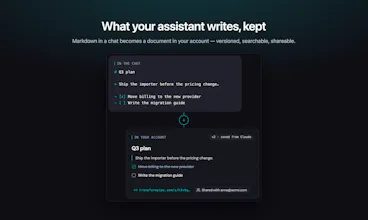
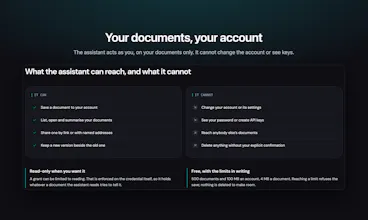
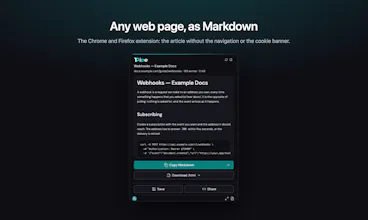
Convert or share your MD files directly from your AI agent. No need to copy Markdown out of a chat, paste it somewhere or dig through old conversations. TransformPipe is listed in Claude's connector directory: one click, and Claude can save, version,and share what it writes as a finished page, with anyone or only the people you name. Everything lands in one searchable library, whichever chat it came from. Plus 15 file conversions in your browser, never uploaded. Free and open source.





Free
Launch Team / Built With


AWS Activate CreditsCredits that fuel your startup’s next milestone
Promoted
Thanks for checking out TransformPipe! 👋
I built it because converting content into usable Markdown is still more tedious than it should be. Copying from web pages, PDFs, rich-text editors, or documents often leaves you with broken formatting, unnecessary HTML, and lots of manual cleanup.
MD Converter helps turn that content into clean, portable Markdown you can use anywhere:
Feed structured context into AI assistants and RAG workflows
Move articles into a CMS, blog, or documentation site
Convert research and web content into notes
The goal is simple: paste or import content, get reliable Markdown, and keep working.
I’d love to hear what you’re converting, which sources matter most to you, and what would make this tool indispensable in your workflow.
Try at: https://transformpipe.com/
GitHub: https://github.com/raudarlabs/transformpipe
Hey Product Hunt! 👋
I built TransformPipe because documents kept arriving in the wrong shape. Sometimes it was a Word file I needed as Markdown. Sometimes it was a Notion export, forty pages in a zip. Or a spec Claude wrote that was gone once the chat scrolled away. And Markdown pasted into an email always turned into a wall of asterisks.
TransformPipe turns all of that into one clean Markdown document. From there you can:
📄 Convert almost anything: Word, PowerPoint, Excel, EPUB, HTML, CSV, or a whole Notion, Confluence or Obsidian export. Headings, lists, links and tables stay intact. You don’t need an account, and when you’re signed out the conversion runs in your browser, so nothing is uploaded.
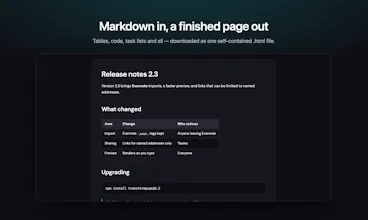
✨ Get a finished page: tables, code, maths and Mermaid diagrams render properly. Download it as HTML, Word or PDF, or send it to Confluence, Jira or Slack.
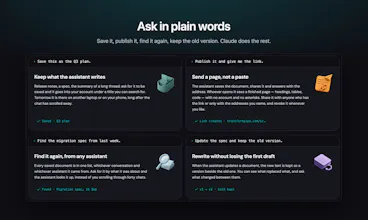
🔗 Send a link instead of an attachment: share with anyone or only with the people you name. Add a password or an end date and see how often it was opened. When you edit the text, the link people already have shows the new version.
🤖 Keep what your assistant writes: connect it to Claude (it’s in the connector directory), ChatGPT or Obsidian. Then just ask: “Save this as the Q3 plan”, “Publish it and give me the link”.
I’d love your feedback, especially on formats that still come out wrong. Throw your messiest file at it and tell me what breaks. I’ll be here all day answering questions 🙌