Reviewers mostly see Genspark as a useful research and content tool that turns broad prompts into structured, shareable pages and multi-step workflows. They praise the clean interface, relevant results, and time saved when researching niche topics, drafting outlines, or creating marketing content. Several also like its multi-model workflow and context continuity in one place. The main complaints are reliability and limits: some users report hallucinations, weak source support for stats, missed details, incomplete retrieval on specific requests, and credits that run out too quickly.


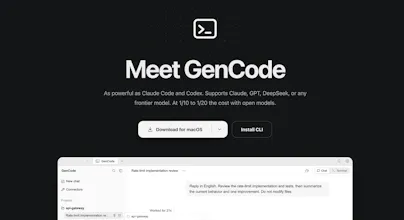
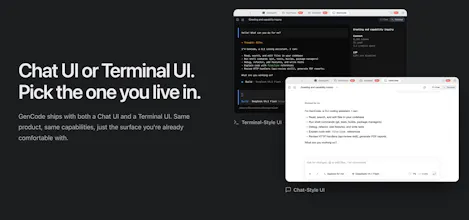
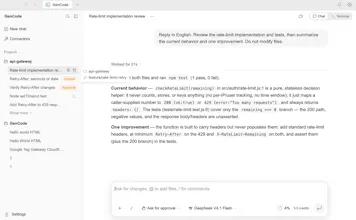


GenCode brings multiple AI models into one coding workflow, with both a Chat UI and Terminal UI.
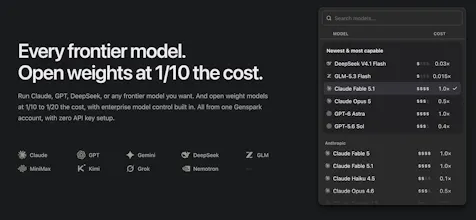
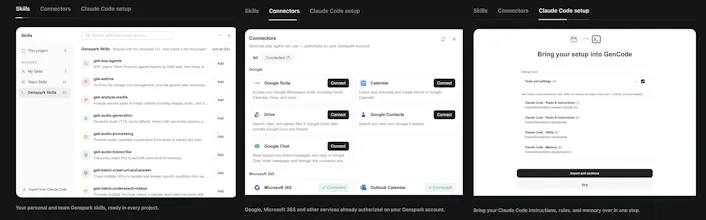
It supports nine model families, including Claude, GPT, Gemini, DeepSeek, GLM, MiniMax, Kimi, Grok, and Nemotron. It can also use your Genspark skills, authorized connectors, and existing Claude Code setup.
Key features:
• Claude, GPT, Gemini, DeepSeek, and more in one model catalog
• Chat UI or Terminal UI
• Works directly on code in a directory you choose
• Supports Genspark Skills, Connectors, and Claude Code setup
• Sub-agents for larger coding tasks
• Scriptable with JSON output for automation and CI workflows
• No API key setup required for the Genspark-hosted model catalog
Try GenCode · docs
P.S. I hunt the latest and greatest launches in tech, SaaS and AI, follow to be notified → @rohanrecommends
@rohanrecommends These looks really useful for switching between different AI models without changing tool all the time