
TraceBug
Instant bug reports your AI agent can actually debug
23 followers
Instant bug reports your AI agent can actually debug
23 followers
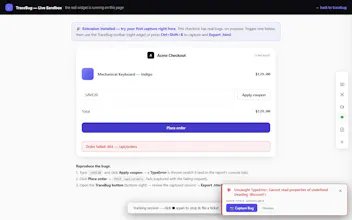
Capture a browser bug in two clicks: session replay, console errors, network requests, screenshots, and a repro timeline in ONE offlinehtml file. A local MCP server lets Claude Code, Cursor, or Windsurf debug from real evidence. Free, MIT, no account.




Free
Launch Team / Built With


ArticosYour audience, ready to react to your messaging in minutes. Try free
Promoted
A small thing that would make this way more useful for my team: add a way to redact sensitive fields before sharing the html file. Sometimes the bug repro includes customer tokens or PII in network payloads, and I can't send the file as-is to our support channel.
@emirhanenetefg Partly there today, honestly not all the way. Known token shapes (JWTs, Bearer headers, API keys) are auto-masked in network snippets, URLs, and storage and the next release shows a summary of what was masked right in the export flow.
The part that's genuinely missing is what you're describing: free-form customer PII in payloads — names, emails, account data. Pattern-matching can't reliably catch those without a cloud model, which I won't do (everything stays on your machine). So the plan is configurable redaction rules: you declare field names / JSON paths / regexes in the SDK config or extension options, and they're masked at capture. That's next on the roadmap would love your input on what the config should look like for your support-channel case.
@emirhanenetefg Follow-up: I built it. Next release adds a redact option to the config:
A matched payload field becomes "customer_email": "[REDACTED]" at capture time it never enters the file at all and everything masked shows up in the export summary so your support channel can see the pipeline ran. Since I asked for your input: does field-name matching cover your case, or do you need JSON-path precision (e.g. only user.email, not every email key)? Genuine question you're the use case.
the offline single html file approach is genuinely clever, it sidesteps all the usual sharing headaches and keeps everything self contained. love that you wired it straight into claude code through a local mcp instead of forcing yet another web app.
@enesgryelfkhz Appreciate it. "Not forcing yet another web app" was a genuine design constraint, not a limitation the moment there's a backend, there's an account, an upload, and a retention policy, and the whole trust story collapses. Local MCP means the evidence never travels further than your own agent. Glad that landed.
Honestly, the offline HTML export is a killer feature. One thing that would make it even better is if the repro timeline could include console.warn and console.info logs by default, not just errors. I often miss those when debugging state transitions.
@baharhoruztgwc You found a real one. Two bugs, actually: console.info wasn't captured at any level, and warn/log events rendered in the repro timeline as raw truncated JSON instead of the message. Both fixed in the next release, warn shows as ⚠ message, info as ℹ message, right in the timeline where the state-transition breadcrumbs belong. Capped at 50 per level so a chatty app can't bloat the file. Thanks for the exact framing ("state transitions") that's what made the fix obvious.
the offline html file idea is genuinely clever, been waiting for something like this. one thing though, would be really helpful if the repro timeline could auto detect sensitive stuff like api keys or auth tokens and mask them before saving, otherwise it's risky to share those files with teammates
@aysel1129285 Good news, this already exists, and your comment made me realize I never surface it. TraceBug masks token shapes at capture time, before they ever enter the report: JWTs, Bearer headers, OpenAI/Stripe sk- keys, GitHub PATs, AWS, Slack, Google API keys and ~10 more patterns, plus sensitive URL params (?api_key=… → [REDACTED]), password fields, and secret-looking localStorage values.
Your comment also made me audit the pipeline, and I found one real gap: tokens logged via console.log were only scrubbed on paths that never touch the offline file. That's fixed — scrubbing now happens at capture for console output and error stacks too.
And since invisible redaction earns zero trust: the export modal and the report itself now show exactly what was masked — "4 sensitive values auto-masked (2 tokens, 1 URL param, 1 form field)". Landing in the next release. Thank you for this one, genuinely.
Works exactly as advertised, captured a tricky CSS bug in under a minute and the offline html file is genius for sharing without granting access to internal tools.
@ramazan793230 Thanks for testing it on a real one CSS bugs are a fun case because the DOM replay carries the actual computed state, so whoever opens the file sees the broken layout itself, not a screenshot of it. "Sharing without granting access to internal tools" is a use case I underestimated hearing it from users repeatedly now.
single offline html file with everything bundled is genuinely clever, way easier to share repros than hopping between loom and slack
@idemod4m Thank you! The Loom + Slack + "wait, which thread was the console screenshot in?" shuffle is exactly the tax this removes one file, everything in it, works offline. If anything's still missing from the bundle when you share a repro, tell me the roadmap this week is literally being built from these comments.