
HighlightGPT
Highlight in ChatGPT, ask GPT in a side panel
99 followers
Highlight in ChatGPT, ask GPT in a side panel
99 followers
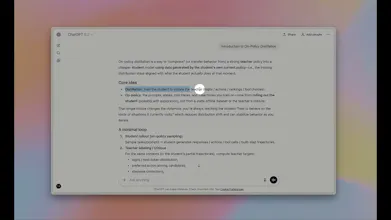
HighlightGPT is a Chrome extension that lets you highlight text inside ChatGPT and open a side panel to ask AI, explain, ask, translate, or save memorizes. It’s a small workflow upgrade that makes ChatGPT feel more like a reading & thinking workspace.


@xin_zhong This is a fantastic extension. I’ve run into this exact issue myself.
When I don’t grasp part of a GPT response, I highlight it and fire off a follow-up question. But the new reply buries the original answer, forcing me to scroll back up awkwardly.
Your tool elegantly fixes this simple yet frustrating gap that GPT overlooks.
Congrats on the launch!
@rohanrecommends Thanks so much, Rohan — really appreciate the kind words 🙏
That “losing context / awkward scrolling” moment is exactly the frustration that pushed me to build HighlightGPT, so it’s great to hear it resonates with you too.
One small thing worth clarifying: all the answers you get in the side panel are still generated by ChatGPT itself — HighlightGPT just changes how you interact with the existing response. There’s no extra model, no separate API calls, and no additional token cost involved.
Thanks again for the support, and congrats on spotting such a real UX gap 🙂
@curiouskitty Thanks for the great question! To keep things stable, I built a daily automated script that runs checks on all the DOM selectors my extension relies on. It verifies whether they still exist or need updating whenever ChatGPT’s UI changes.
For the tradeoff, I leaned toward a “defensive design” approach: I prioritize using stable, semantic selectors over deeply integrated but fragile ones, so the extension stays functional even when the UI shifts.
@sunbash The main difference is where and how the answer appears.
“Ask ChatGPT” puts the answer at the bottom of the conversation, which breaks your reading flow.
HighlightGPT keeps the explanation alongside the highlighted text, more like an annotation, so you can understand that part without losing your place.
It's really helpful~
@reborn_nav Thank you
!