

🔧 WP Bones 2.1.0 — a sturdier bones CLI

WP Bones 2.1.0 is out 🦴 the bones CLI that ships inside every plugin gets sturdier 🔧
📂 Runs from any folder. php my-plugin/bones used to stop with a TypeError anywhere but the plugin root. Now it works, custom commands included.
✍️ rename touches only what changes. It used to rewrite every file and corrupt compiled .mo catalogues. Binary files are left alone now, and rename --update renames vendor/ only.
🛟 update keeps your framework. It no longer deletes vendor/wpbones/wpbones before running Composer, so a failed update can't leave the plugin without one.
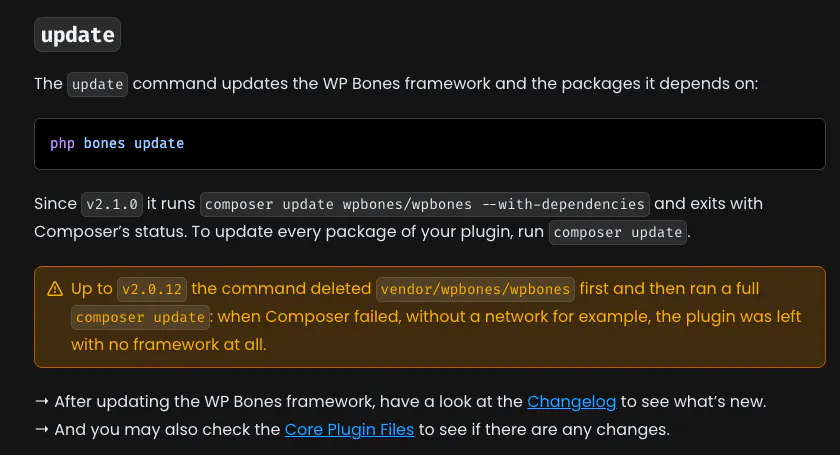
The update section of the WP Bones bones CLI docs
✅ format:check checks. The old one reformatted your plugin, compiled bundles included, and said everything was fine.
🧩 Every generated widget is its own. They used to share one id, and so one settings option.
⬆️ composer update wpbones/wpbones
👉 Docs, boilerplates and live Playground demos: https://www.wpbones.com
Which bones command do you reach for the most? I'd love to hear 👀
Replies
Can custom commands now be run from any folder in the same way as the built-in commands?
congrats Giovambattista! to answer your question, bones make: commands are definitely my most used haha. also super glad to hear update doesn't wipe vendor before composer runs anymore, that failed update bug was terrifying lol.