

Vitals, the Activity Monitor alternative for Mac, is now in German, French, and 8 more languages 🌐

Vitals 1.3 is out, and the app now works in ten languages besides English:
- German
- French
- Spanish
- Italian
- Dutch
- Swedish
- Brazilian Portuguese
- Japanese
- Korean
- Simplified Chinese
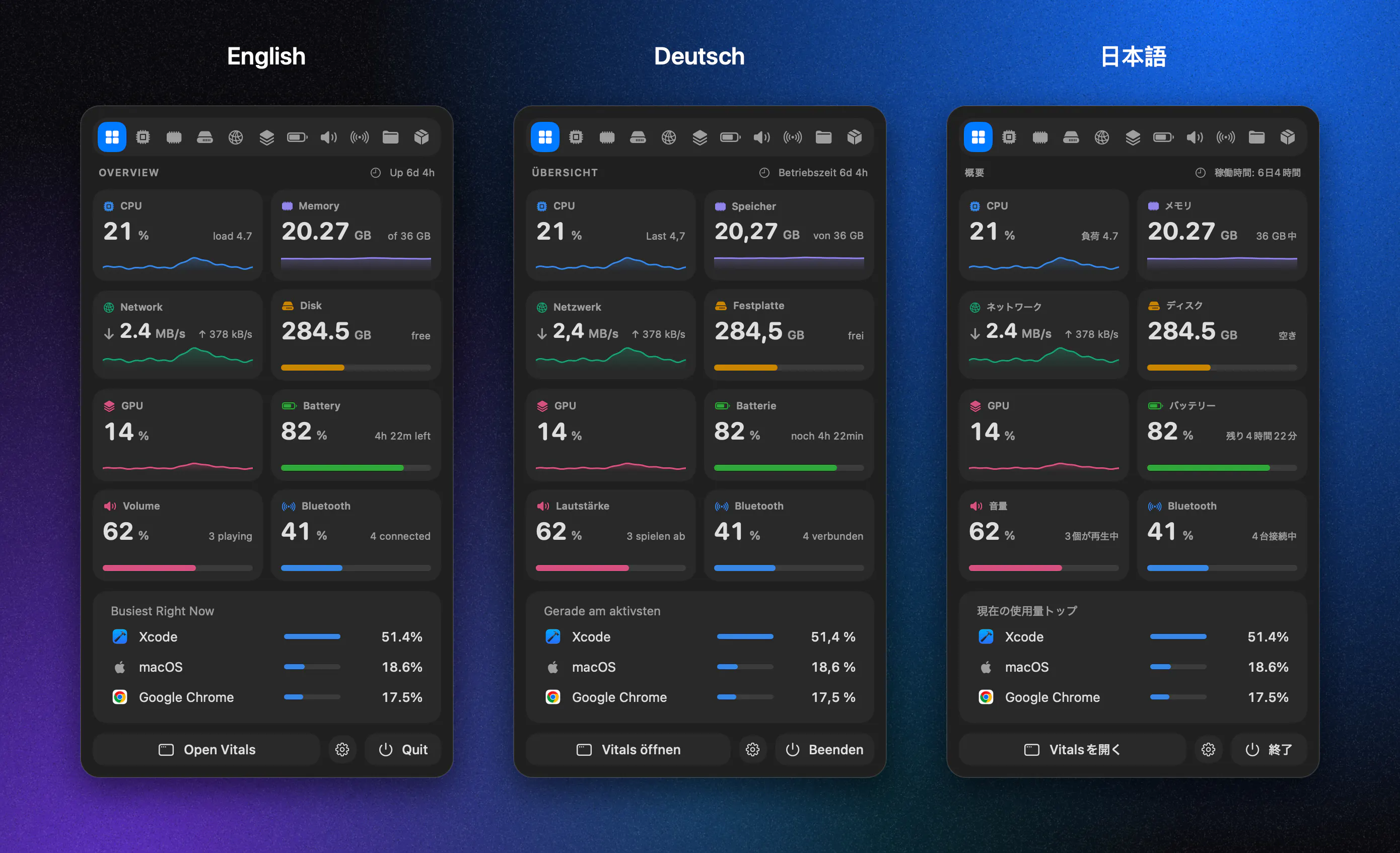
Why we did it
A system monitor is full of technical terms: memory pressure, swap, energy use, disk writes. Those words are hard enough in your own language. In a second language, you end up guessing what a number means, or switching to Activity Monitor to check, which defeats the point of having a better tool.
Activity Monitor is already in your language. If Vitals is going to replace it, it has to be too.
We use the same words as your Mac
We didn't translate Vitals word by word. For every term, we used the word Apple already uses in macOS and Activity Monitor for that language. So if your Mac says "Speicherdruck" in German, Vitals says "Speicherdruck". In Italian, Activity Monitor calls memory pressure "Utilizzo della memoria", so Vitals does too, even though a direct translation would be different.
This matters because you've already learned those words from your Mac. When you see the same term in Vitals, you know it means the same thing, and you can compare the two side by side.
How to use it
Vitals follows your Mac's language automatically, so there's nothing to set up. If your Mac is in English but you want Vitals in another language, or the other way round, go to System Settings → General → Language & Region, add Vitals under Applications, and pick its language.
The website is translated into the same ten languages, so you can read about Vitals, the guides and the glossary in your language before you buy: vitalsmac.com
Also in 1.3
- Pin an app to the top: right-click it and choose Pin. It stays first in every list, whatever you sort by.
- ⌘F works from any tab. On a tab without a list, such as Overview, Vitals opens Memory with the search field ready.
- Choose which tab the window opens on, in Settings → General.
- Mac mini, iMac and Mac Studio now show how much power the whole Mac is drawing, in Temperature & Fans or in the menu bar.
Help us get it right
If you use Vitals in one of these languages and a word looks wrong, please tell us. Reply here or email hi@vitalsmac.com with the word and where you saw it. Corrections from people who use the language every day are the best way to make this right.
The update is free for everyone who owns Vitals. Open Vitals and it will offer the update, or download it from vitalsmac.com.
Full release notes: vitalsmac.com/changelog
Replies
@attacomsian the part about matching apple's own words instead of translating directly is really smart. most app just google-translate and it sounds off.
quick question — for languags like bengali (my language) that apple doesn't fully localize, how would you handle those terms? or is that too far out of scope for now?
@sumonmatrix unfortunately, it is not available in Bengali yet.
@attacomsiancompletely understand man, english works perfectly fine anyway. tested version 1.3 today and the new ⌘F search shortcut is super handy. appreciate the quick response!
@sumonmatrix glad you like the ⌘F shortcut.
thanks for testing 1.3 so fast.
I think this is the right way to do translations. A literal word-by-word version would just add confusion. Matching Activity Monitor means people can compare the two side by side