

Building a Privacy-First OCR Tool in the Browser — What Would You Do Differently?
Hi Product Hunt community,
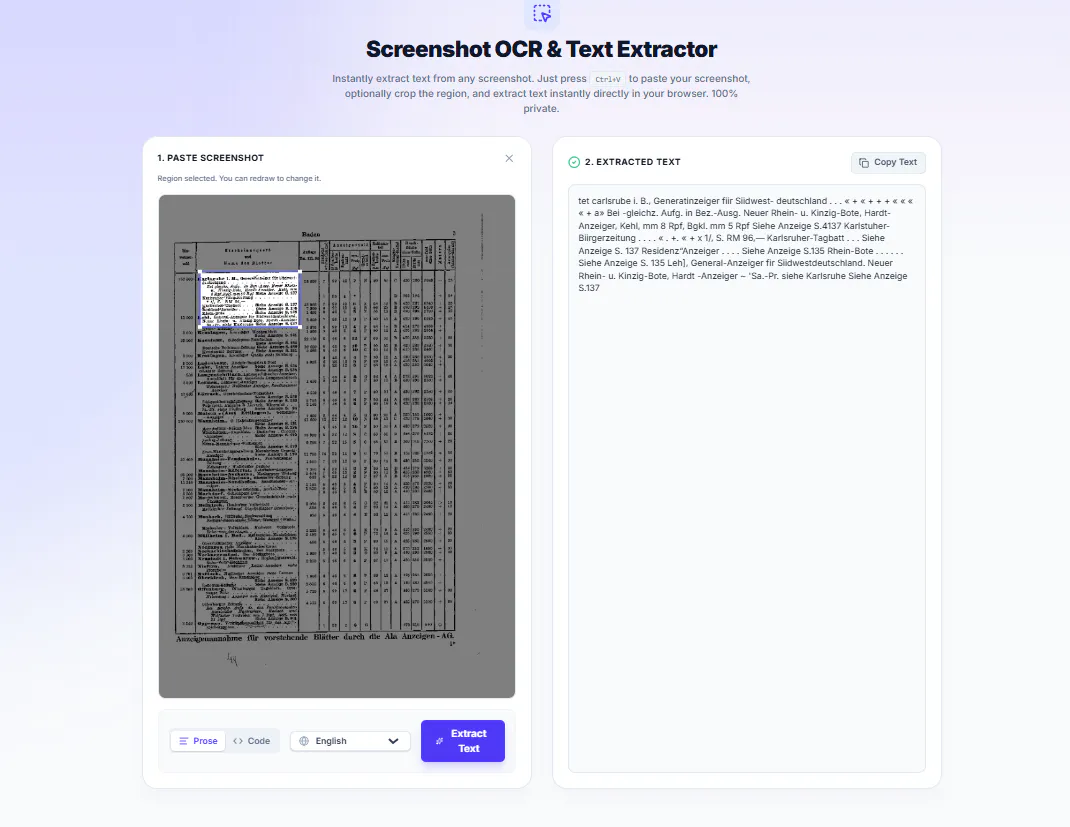
I recently built a browser-based tool that extracts text from screenshots using Tesseract.js, with all processing happening 100% client-side. No files get uploaded to a server, which makes it useful for sensitive content like code snippets, error logs, or internal screenshots.
I wanted to share the technical approach and a few lessons learned, and I'd love your feedback on how you'd improve it.
Why client-side OCR?
The main challenge was balancing speed, accuracy, and privacy. Most OCR tools send images to a backend, which creates friction for users dealing with private data. Running Tesseract.js inside a Web Worker keeps the UI responsive and avoids any server dependency.
The trade-off is that everything happens in the user's browser memory, so performance and model loading become key constraints.
Core pipeline
The implementation follows four simple steps:
Capture from clipboard via the browser's native paste event.
Crop the region the user selects using an HTML5 <canvas>.
Upscale small regions before OCR to improve accuracy.
Run Tesseract.js in a Web Worker and return the result.
Here are the key code pieces, in case anyone is exploring something similar.
1. Clipboard paste listener
typescript
import { useEffect } from 'react';

export function useClipboardImage(onImageCaptured: (file: File) => void) {
  useEffect(() => {
    const handlePaste = (e: ClipboardEvent) => {
      const items = e.clipboardData?.items;
      if (!items) return;

      for (let i = 0; i < items.length; i++) {
        if (items[i].type.startsWith('image/')) {
          const file = items[i].getAsFile();
          if (file) onImageCaptured(file);
          break;
        }
      }
    };

    window.addEventListener('paste', handlePaste);
    return () => window.removeEventListener('paste', handlePaste);
  }, [onImageCaptured]);
}
import { useEffect } from 'react';

export function useClipboardImage(onImageCaptured: (file: File) => void) {
  useEffect(() => {
    const handlePaste = (e: ClipboardEvent) => {
      const items = e.clipboardData?.items;
      if (!items) return;

      for (let i = 0; i < items.length; i++) {
        if (items[i].type.startsWith('image/')) {
          const file = items[i].getAsFile();
          if (file) onImageCaptured(file);
          break;
        }
      }
    };

    window.addEventListener('paste', handlePaste);
    return () => window.removeEventListener('paste', handlePaste);
  }, [onImageCaptured]);
}
2. Canvas crop with optional upscaling
typescript
export async function getCroppedImageCanvas(
  imageSrc: string,
  cropBox: { x: number; y: number; w: number; h: number },
  imageRatio: number
): Promise<HTMLCanvasElement> {
  const img = new Image();
  await new Promise((resolve, reject) => {
    img.onload = resolve;
    img.onerror = reject;
    img.src = imageSrc;
  });

  const origX = cropBox.x / imageRatio;
  const origY = cropBox.y / imageRatio;
  const origW = cropBox.w / imageRatio;
  const origH = cropBox.h / imageRatio;

  const scale = origW < 800 ? 2 : 1;

  const tempCanvas = document.createElement('canvas');
  tempCanvas.width = origW * scale;
  tempCanvas.height = origH * scale;

  const ctx = tempCanvas.getContext('2d');
  if (!ctx) throw new Error('Failed to get 2d canvas context');

  ctx.imageSmoothingEnabled = true;
  ctx.imageSmoothingQuality = 'high';

  if (scale > 1) ctx.scale(scale, scale);
  ctx.drawImage(img, origX, origY, origW, origH, 0, 0, origW, origH);

  return tempCanvas;
}
export async function getCroppedImageCanvas(
  imageSrc: string,
  cropBox: { x: number; y: number; w: number; h: number },
  imageRatio: number
): Promise<HTMLCanvasElement> {
  const img = new Image();
  await new Promise((resolve, reject) => {
    img.onload = resolve;
    img.onerror = reject;
    img.src = imageSrc;
  });

  const origX = cropBox.x / imageRatio;
  const origY = cropBox.y / imageRatio;
  const origW = cropBox.w / imageRatio;
  const origH = cropBox.h / imageRatio;

  const scale = origW < 800 ? 2 : 1;

  const tempCanvas = document.createElement('canvas');
  tempCanvas.width = origW * scale;
  tempCanvas.height = origH * scale;

  const ctx = tempCanvas.getContext('2d');
  if (!ctx) throw new Error('Failed to get 2d canvas context');

  ctx.imageSmoothingEnabled = true;
  ctx.imageSmoothingQuality = 'high';

  if (scale > 1) ctx.scale(scale, scale);
  ctx.drawImage(img, origX, origY, origW, origH, 0, 0, origW, origH);

  return tempCanvas;
}
3. Tesseract.js via Web Worker
typescript
import { createWorker } from 'tesseract.js';

export async function runOcrFromCanvas(
  canvas: HTMLCanvasElement,
  language: 'eng' | 'ara' | 'eng+ara' = 'eng',
  onProgress?: (progress: number, status: string) => void
): Promise<{ text: string; confidence: number }> {

  const worker = await createWorker(language, 1, {
    logger: (m) => {
      if (m.status === 'recognizing text' && onProgress) {
        onProgress(Math.round(m.progress * 100), m.status);
      }
    }
  });

  await worker.setParameters({
    tessedit_pageseg_mode: '6',
    preserve_interword_spaces: '1'
  });

  const imageDataUrl = canvas.toDataURL('image/png');
  const { data } = await worker.recognize(imageDataUrl);

  await worker.terminate();

  return {
    text: data.text,
    confidence: data.confidence
  };
}
import { createWorker } from 'tesseract.js';

export async function runOcrFromCanvas(
  canvas: HTMLCanvasElement,
  language: 'eng' | 'ara' | 'eng+ara' = 'eng',
  onProgress?: (progress: number, status: string) => void
): Promise<{ text: string; confidence: number }> {

  const worker = await createWorker(language, 1, {
    logger: (m) => {
      if (m.status === 'recognizing text' && onProgress) {
        onProgress(Math.round(m.progress * 100), m.status);
      }
    }
  });

  await worker.setParameters({
    tessedit_pageseg_mode: '6',
    preserve_interword_spaces: '1'
  });

  const imageDataUrl = canvas.toDataURL('image/png');
  const { data } = await worker.recognize(imageDataUrl);

  await worker.terminate();

  return {
    text: data.text,
    confidence: data.confidence
  };
}
A few things I learned
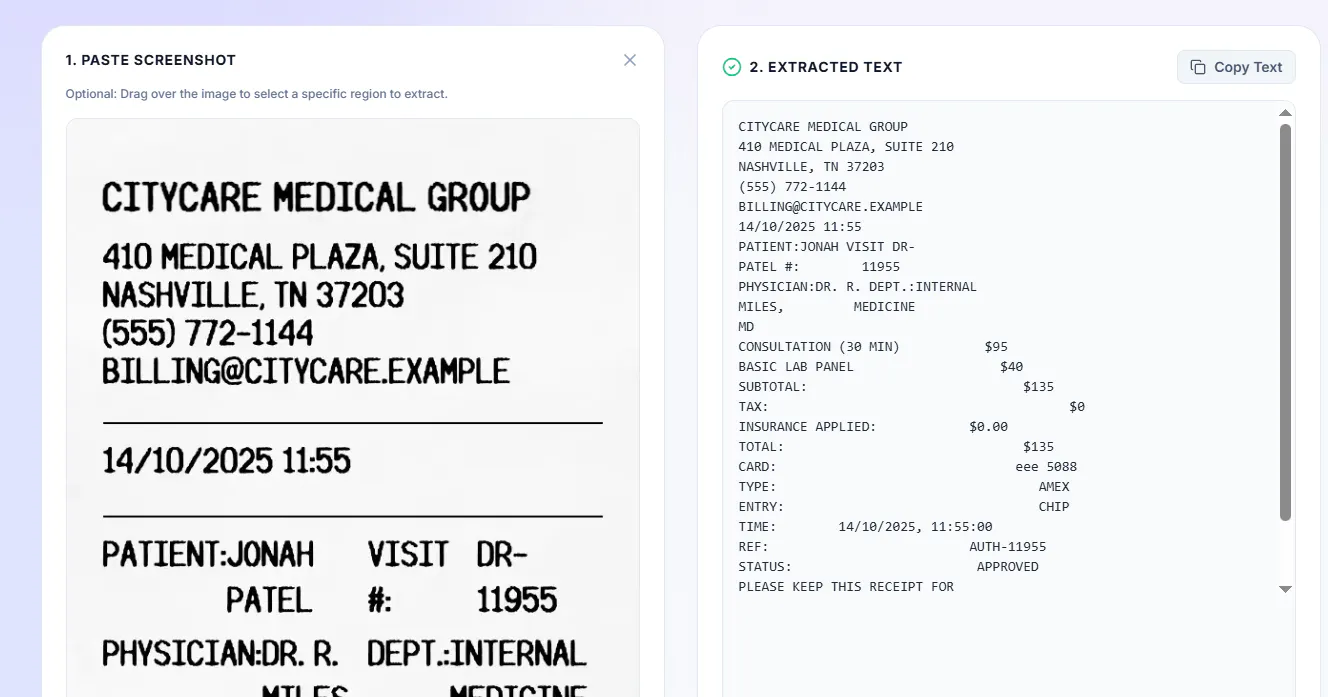
Cropping before OCR dramatically improves accuracy. Feeding the model a focused region beats feeding it a full screenshot.
Upscaling small text helps Tesseract read screen-rendered fonts, especially lightweight UI text.
Web Workers are essential. OCR blocks the main thread without them.
Language packs are heavy. Loading only the languages the user needs is critical for first-time performance.
Questions for the community
Have you built anything with Tesseract.js or client-side ML? What was your biggest performance or accuracy challenge?
Would you trust a 100% client-side tool for sensitive screenshots, or do you still prefer a backend?
For preserving code formatting from OCR output, have you found any post-processing tricks that work well?
Happy to go deeper on any of these. Looking forward to your thoughts.
Replies
Be the first to reply
Have a question or a thought to share? Add a comment above to start the conversation.