In 2007 Dmitry Apanovich released Strokes Maker, a tool that built engraving-style drawings out of ordinary images. Dmitry is at FontLab now, and we spent a long time rewriting that idea into something with a calmer interface and much more control. That became Vexy Lines.
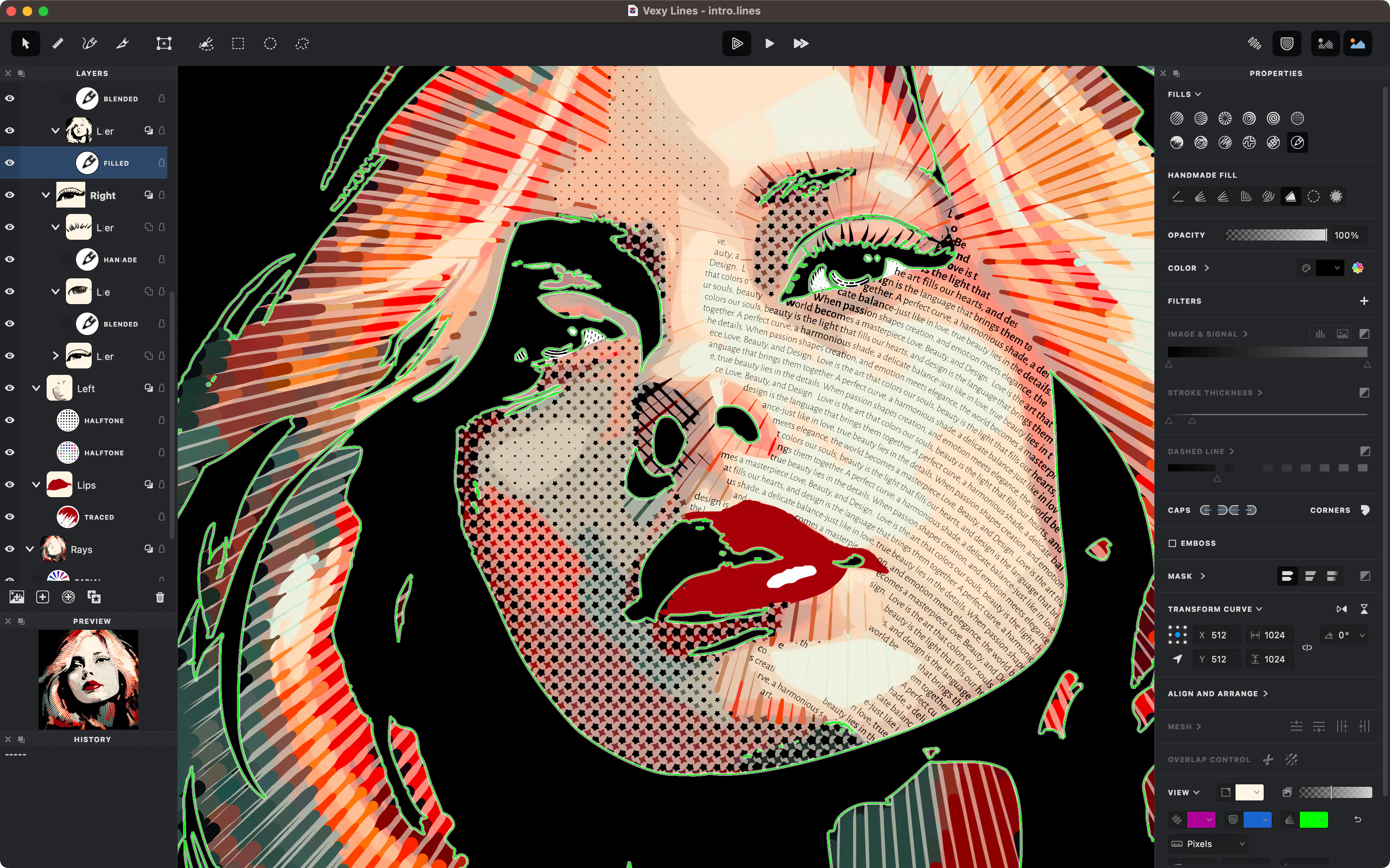
The image you drop in isn't the artwork, it's the signal. Vexy reads its light and shade and draws vector strokes that thicken wherever the source goes darker. There are a dozen fill styles, from plain linear hatching through waves, spirals, halftone dots, wireframe, scribble, autotrace and a Text fill that pours words along the pattern. You stack them on layers, confine each one behind a mask you paint yourself, bend a layer over a mesh, sample color straight from the photo, and add handmade strokes wherever the algorithm needs supervision. Nothing gets flattened, so you can reopen and change any of it, and it exports to SVG, PDF and EPS.
Vexy Lines is a desktop vector studio for Mac and Windows that transforms photos, sketches and AI images into expressive, print-ready artwork. Choose from 12 algorithmic fills—including engraving lines, waves, halftone dots, scribbles and text—then stack layers, paint masks, warp meshes and refine every stroke. Export crisp SVG, PDF, EPS, PNG or JPEG. Try every feature free; unlock export with a $99 lifetime license.